
The set is booked, the lights are sorted, and the band finally has a logo worth showing off. Then the practical questions hit. Is the file good enough to print? Will the hoop cover the text? Is that transparent background actually transparent, or is it going to show up as a nasty box on the final head?
That’s where a lot of solid custom drum head artwork goes sideways. The creative part is usually easy. The prep work is what trips people up. A design can look sharp on a phone screen and still fall apart when it’s stretched across a full-size bass drum.
A custom head should do two jobs at once. It needs to look right from the crowd, from the photo pit, and under stage lights. It also needs to work with the drum, the hoop, and the mic port without creating a mess. Getting both right isn’t complicated, but it does require a few essential decisions before the file gets uploaded.
From Great Idea to Stage-Ready Graphic
A common scenario goes like this. A drummer has a band logo in a social media folder, a singer wants the new single artwork on the front head, and somebody says, “Just send whatever file there is.” That’s usually the moment when a clean stage idea turns into a blurry print, clipped text, or a port hole through the middle of the name.

The good news is that ordering custom drum head artwork is a lot easier than it used to be. Since the early 2000s, browser-based design systems have made custom heads far more accessible, with live mockups built for 100% preview accuracy so buyers can see what they’re approving before print goes live, according to D’Addario custom drumheads. That shift matters because it removes a lot of guesswork for bands, schools, session players, and worship teams.
What usually goes wrong first
Most bad outcomes don’t come from bad taste. They come from bad source material.
A logo pulled from a website header might be tiny. A screenshot from Instagram might look crisp on a phone but break apart when enlarged. A background image might not extend far enough, which leaves an ugly edge once the head is fitted. None of that means the design idea is wrong. It means the file wasn’t prepared for print.
Practical rule: The print only knows what the file tells it. If the file is weak, the final head will show it.
What a buyer actually needs
The process works best when the band treats the drum head like part of the show package, not a last-minute add-on. That means deciding early what matters most:
- Branding: Band name, logo, album art, event artwork, or sponsor graphic.
- Visibility: Will the design be read from the room or mainly photographed up close?
- Function: Will there be a front mic port, and where does it need to sit?
- Finish line: Is this for tour, a one-off launch show, a school event, or permanent kit branding?
Before sending anything to print, it helps to browse custom drum head examples and look at how other designs handle space, contrast, and port placement. That usually makes the next step obvious. Strong custom drum head artwork isn’t about cramming in more. It’s about making the important parts survive the practicalities of a drum.
Laying the Foundation with Art File Formats and Resolution
A design can look killer in the group chat and still fail the minute it hits a 22-inch front head.
That usually happens for one reason. The band is approving the idea, while the printer has to work with the file. Those are two different jobs, and this is the point where they need to meet. If the artwork starts in the wrong format or at the wrong size, every fix after that is damage control.

For custom drum head artwork, the safest starting point is simple. Use a vector file for logos, text, and clean graphic shapes. Use a raster file only if it is built at 300 DPI at final print size.
Vector vs raster in plain English
A vector file is based on paths and shapes. It scales cleanly, which is why a proper logo file stays sharp on a large bass drum head. If the band has an AI, SVG, or press-ready PDF from the original designer, that is usually the best file in the folder.
A raster file is made of pixels. JPG, PNG, and TIFF files fall into that group. Raster artwork works well for photos, textures, painted art, and detailed illustrations, but only if the file is large enough from the start. If it was made for web use, it usually falls apart in print.
Here’s the practical split:
| File type | Best for | Main risk |
|---|---|---|
| Vector | Logos, text, line art, clean graphic shapes | Missing fonts, bad exports, or outlines not prepared correctly |
| Raster | Photos, textures, painted artwork, detailed image-based graphics | Soft edges and visible pixelation if the file is too small |
What 300 DPI means on a real job
DPI means dots per inch, but the shop-floor version is easier to remember. The file needs to contain enough detail at the exact size it will print.
A 1200-pixel image might survive on a merch graphic or phone screen. Spread that same file across a full front head and the edges start looking fuzzy, especially around text, thin lines, and high-contrast logos. Stage lighting and flash photography make those flaws more obvious, not less.
That is why screenshots, social media downloads, and website grabs cause so many avoidable delays.
The files worth asking for
If the artwork is coming from a designer, label, photographer, or a bandmate who “has the logo somewhere,” ask for the source files before anyone starts laying out the head. The useful files are:
- Original vector logo files: SVG, AI, EPS, or a press-ready PDF
- Full-size raster artwork: PNG, TIFF, or high-quality JPG built at print size
- Layered working files: Helpful if the design needs cleanup, repositioning, or port clearance
- Outlined fonts or packaged files: Prevents missing typefaces and accidental substitutions
If you want a quick reference before sending anything over, check the custom drum head design guide. It helps translate “this looked fine on my laptop” into something a printer can use without guessing.
Files that usually cause trouble
Some file types are warning signs the minute they land in the inbox:
- Screenshots
- Images pulled from social media
- Logos copied from websites
- Old web JPGs with transparent backgrounds added later
- Artwork pasted into a Word doc or slide deck
I see bands lose time here more than anywhere else. The concept is often solid. The problem is that a print file has to survive enlargement, cutting, fitting, and stage lighting. If the source art cannot handle that, the final head will show every shortcut.
Getting the Size Colors and Bleed Right
Load-in is in an hour, the lights come up, and the front head that looked great on a phone suddenly reads small, muddy, or slightly off-center. I see that happen when the art is approved as a flat image instead of a printed drum head. Good source art is only half the job. The file also has to fit the actual head, print cleanly, and survive the way a bass drum is seen from the floor, not from a laptop.

Start with the real drum size
Measure the head you are ordering for. Do not rely on memory, an old invoice, or what “most kick drums” usually are.
A one-inch mistake changes more than the outer diameter. It changes how large the logo feels, how close text sits to the hoop, and how much background art gets lost once the head is mounted. Bands usually notice that problem after print, when the visual weight feels wrong and there is no clean fix.
The safest approach is simple. Build the artwork to the exact ordered size and leave breathing room around anything that has to be readable from the crowd.
Bleed protects the print at the edge
Bleed is extra image area that extends past the final visible trim. If the design includes a solid background, photo, texture, or gradient, that extra area needs to be built in from the start.
Without bleed, the edge is where the job falls apart first. A thin white sliver, a clipped gradient, or a background that stops short will show up fast under stage light.
On a bass drum head, layout usually works best in three zones:
- Center zone: logo, band name, and anything the audience needs to read quickly
- Middle zone: supporting graphics and secondary text
- Outer zone: background elements only, because the hoop and viewing angle will steal part of it
Drummers sometimes want every inch used. I get that. A full-face design can look great. It just has to be built so the important content stays out of the danger area.
Build color for print, not for the screen
Screen previews lie all the time, especially with bright reds, electric blues, and neon-style greens. Monitors use RGB light. Print uses CMYK ink. Some colors cross over well, some do not.
The practical trade-off is this. If brand color accuracy matters, set the file up in CMYK and expect to make small adjustments before print. If the goal is maximum punch from across the room, strong contrast usually matters more than chasing a screen-perfect match.
Black, white, and bold spot-style color blocks tend to hold up better than subtle tonal shifts. Fine gradients can still work, but they need enough resolution and enough contrast to read on a curved surface.
If you want a broader production overview before sending art, read how to print custom drum heads. It helps connect file prep decisions to what shows up on stage.
Size the design for distance
A bass drum head is signage. It gets viewed from twenty feet away, off-axis, through haze, and under colored light. That changes what should be big and what can stay subtle.
Use a clear visual hierarchy:
- Make the main logo or band name the first thing the room reads.
- Keep supporting art behind it, not fighting with it.
- Push fine text, thin outlines, and decorative details away from the edge unless they are oversized on purpose.
A design can be technically correct and still fail live. The stage-ready version is the one that reads fast, prints clean, and still looks intentional after the hoop covers part of the perimeter.
Strategic Mic Port Placement and Mockups
A mic port isn’t just a hole in the head. It’s part of the design.
Bands often think about the port late, after the artwork is already finished. That’s backwards. If the front head needs a port, it should be treated as a design element from the beginning. Otherwise, the final cut can take a chunk out of the logo, ruin the balance of the artwork, or land in the worst possible place for stage use.

Guidance around this is often skipped, but it matters. For recording artists and worship teams in particular, the placement of dense gradients or fine lines near a port can subtly affect airflow and low-end capture, which is why a visual mockup tool matters for both looks and function.
Why the mockup matters more than people think
A live mockup does two jobs at once. It shows the design as a drum head, not as a flat square file, and it exposes conflicts before anything is printed.
That matters because a file can be technically correct and still be badly composed for a real drum. A centered logo may look perfect until the port gets added low-right. A scenic background may lose its focal point once the port interrupts it. Fine details might land too close to the cut line and start to feel accidental.
One browser-based option for this workflow is how to port a bass drum, where placement decisions can be thought through before the final file is approved.
Treat the port as a no-go zone
The cleanest results usually come from planning a visual buffer around the port area. That means keeping critical elements clear of the cut and letting less important artwork absorb the interruption.
A few practical examples:
- Band name front and center: Keep the port away from the wordmark.
- Full-photo design: Place the port where it cuts background, not a face or focal object.
- Minimal logo design: Use the open negative space as the natural port area.
- Symmetrical artwork: Check balance carefully, because an off-center port changes the whole composition.
The best-looking front heads don’t hide the mic port. They account for it.
Stage function still wins
Looks matter, but stage use decides whether the design works. The front head has to perform in actual use, with a mic, a stand, and an engineer who needs access without fighting the artwork or the drum setup. The best custom drum head artwork handles both. It reads clean from the room and still behaves like working gear.
Avoiding Common Custom Artwork Disasters
Load-in is not the time to find out the band logo came from a social profile image, the black background is really dark gray, or the date on the kick head is spelled wrong. I see these misses after the file has already been approved, printed, mounted, and rolled under stage lights. At that point, the problem is no longer design. It is wasted money and a front head that looks amateur from the room.
The failure usually starts with a bad assumption. Screen approval is not print approval. A file can look sharp on a phone or laptop and still fall apart at full drum size.
The repeat offenders are familiar.
- Tiny web logos: A logo pulled from Instagram, Facebook, or a website banner often looks soft or blocky once it is scaled for print.
- Text riding the edge: It may fit in the template, but the hoop and real-world mounting can crowd it fast.
- Flattened backgrounds: What looked clean in one app can print with a white box, muddy halo, or the wrong black.
- Spelling nobody owned: Band names, venues, dates, sponsor names, and tour titles get missed when approval is rushed.
- Too much information: Five small graphics and three lines of text might make sense up close on a monitor. From the audience, it reads like clutter.
The fix is usually simple, but it has to happen before the file goes to print. Start with the original logo file if it exists. If it does not, get the highest-quality version available and rebuild weak elements instead of trying to sharpen a bad screenshot. Keep the message short enough to read from the back of the room. Give important elements enough space so the head still looks intentional once it is mounted on the drum.
I tell bands to proof the art the same way a good tech checks hardware. Slowly, line by line, with somebody assigned to catch mistakes. Zoom in for edge quality. Zoom out for readability. Check every word. Check the black areas. Check whether the final proof matches the version everyone thinks they approved.
One more practical point. A strong mockup saves a lot of grief, but only if it reflects the actual print setup and drum size. If you are ordering through Custom Bass Drum Heads, treat the preview as a production check, not a formality.
Good custom drum head artwork still has personality. It just has to survive print, setup, and stage light without exposing all the file prep mistakes behind it.
Your Pre-Flight Checklist for a Perfect Drum Head
At this point, the decision is simple. Either the file is ready, or it isn’t. A last pass before upload catches the stuff that tends to slip through when everyone is focused on the cool factor and nobody is acting like the final check matters.
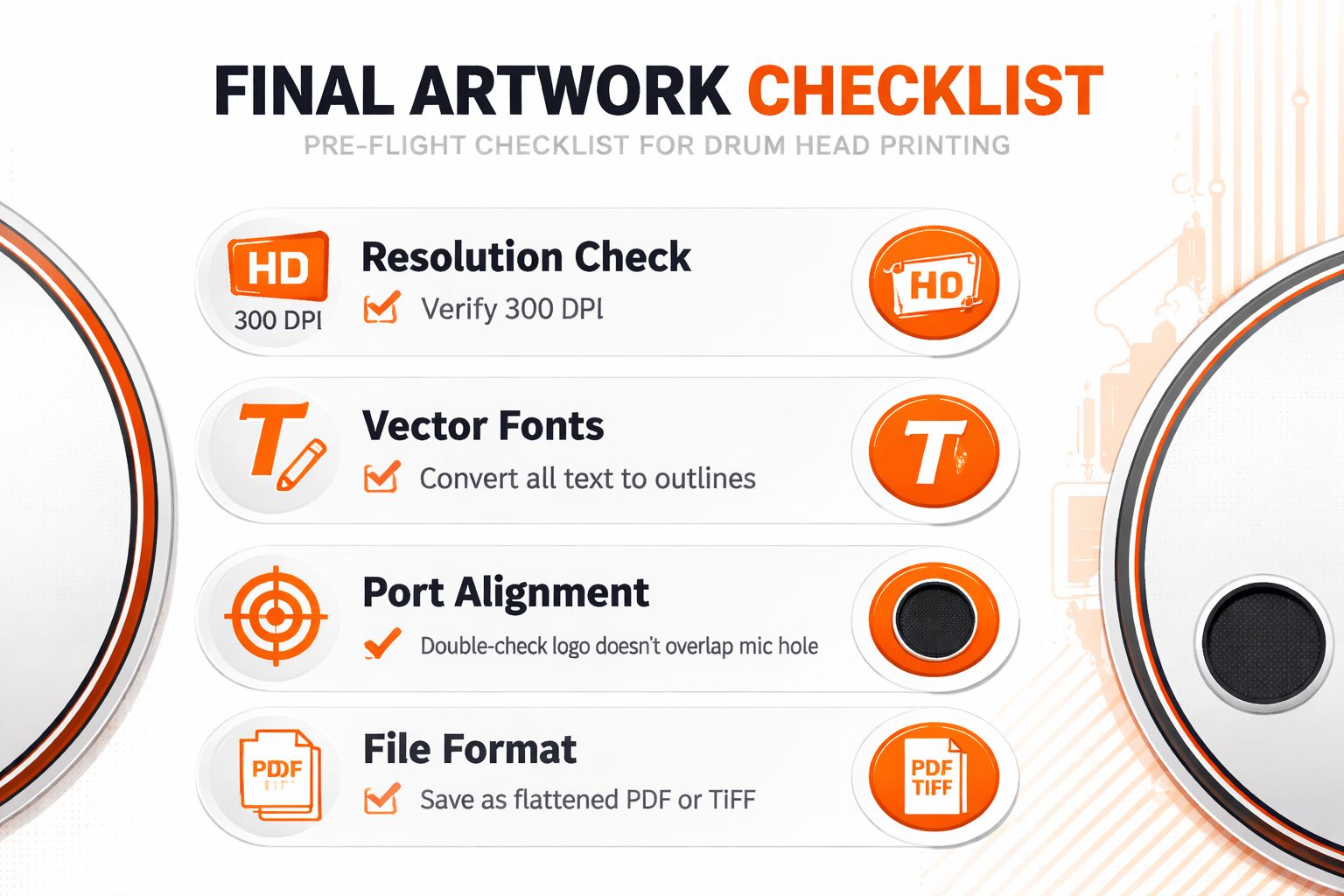
The short list worth checking every time
- Artwork quality: Is the file vector, or is it a raster image built at full print size with proper resolution?
- Head size: Has the actual drum size been confirmed, not guessed?
- Layout safety: Do the important elements sit clear of the hoop area and planned port location?
- Background coverage: Does the artwork extend far enough so the edge prints clean?
- Color expectations: Was the file prepared with print in mind, rather than only for screen viewing?
- Spelling and details: Has every word, date, and name been checked carefully?
- Final mockup: Does the approved preview match what the buyer expects to see on the kit?
What approval should feel like
The right proof usually feels boring in the best way. No uncertainty. No “it’ll probably be fine.” No hidden compromises that the band hopes won’t show up later.
If a buyer wants an in-browser workflow, Custom Bass Drum Heads is one service that allows artwork upload, mockup review, size selection, and mic port placement before production. That kind of approval process makes sense because custom drum head artwork is one of those purchases where clarity up front matters more than improvising after print.
A clean proof is the last place to be picky. After production starts, picky turns into costly.
A strong front head doesn’t happen by accident. It comes from matching the creative idea with a file that’s ready for production, then checking the details like someone who knows the drum has to look right under real lights, on a real stage, with real people staring straight at it.
Ready to turn artwork into a stage-ready front head that prints the way it should? Start designing at Custom Bass Drum Heads, upload the file, check the mockup, place the mic port where the kit needs it, and approve a head that’s built to look right when the lights come up.