
A lot of drummers reach the same point at the same time. The band finally sounds locked in, the songs are ready, the social pages look better than they used to, and then the bass drum starts looking like the one thing that never got the memo. A blank front head disappears under stage lights. A rushed sticker job looks temporary. A strong custom head pulls the whole presentation together in one move.
That’s why so many buyers start searching for how to design your own drum head when a tour date, showcase, recording session, school performance, or rebrand is coming up. The visual side matters, but the buying decision isn’t only about looks. File prep affects print quality. Head choice affects fit and function. Port placement affects both appearance and practicality. The finished result has to work under lights, under microphones, and in and out of cases.
From Garage Band to Grand Stage Your Custom Look Awaits
A custom bass drum head changes how a kit reads from across a room. It gives the audience one clear focal point. It gives photographers something worth framing. It gives a band a visual identity that feels intentional instead of pieced together at load-in.

That shift used to be harder than it should’ve been. Older approaches often relied on sticker-style graphics, which created familiar problems once the head curved over the hoop or sat under heat and handling. The industry changed after 2006, when direct-to-head printing and in-browser mockups became part of the ordering process, helping eliminate the bubbling and peeling that came with older sticker-based methods, as noted in this industry history overview.
Why the bass drum gets the attention
The bass drum is the largest branding surface on the kit. On most stages, it’s the first thing people read and the last thing they remember. For buyers deciding whether a custom head is worth it, that matters more than almost any other cosmetic upgrade.
A front head can carry a band logo, an artist name, a stripped-back monogram, album artwork, a session brand, or event-specific graphics. The same drum can look club-ready one weekend and wedding-clean the next if the design is chosen with purpose.
A good custom head doesn’t just decorate the kit. It tells the room who’s playing before the first downbeat.
What works on stage and what usually doesn’t
A few design directions consistently hold up better than others:
- Bold logos: Strong for live rooms, festivals, and quick brand recognition.
- Simple text with contrast: Best when the audience will view the head from a distance.
- Full-graphic artwork: Best when the source file is properly prepared and the design has room to breathe.
- Overcrowded layouts: Usually the first thing to fail once stage lighting and hardware enter the picture.
For buyers looking for ideas before building a file, this showcase of custom drum art is useful because it shows how different design styles translate onto actual bass drum heads rather than flat screen mockups.
Nailing the Artwork Before You Upload
Most bad custom heads don’t fail because the concept was weak. They fail because the artwork wasn’t prepared for print. The logo looked sharp on a phone screen, then turned soft on the drum. The background looked full-bleed in the draft, then printed with a visible edge. The file “worked,” but it wasn’t built for a curved printed surface.
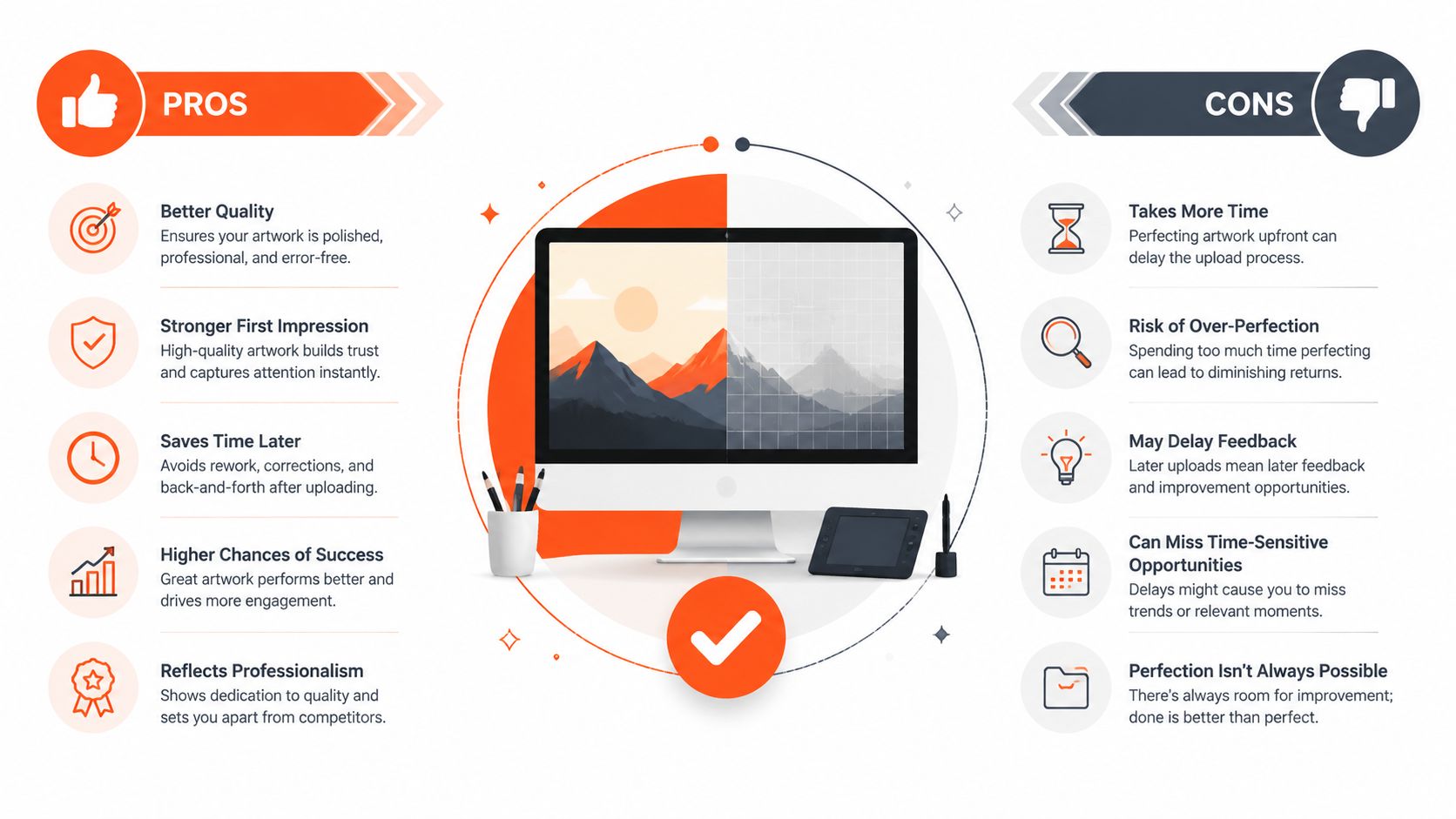
Production data shows that 30% of artwork rejections come from ignored bleed areas, which leads to white edges, and low-resolution JPGs create a 10-15% defect rate because of pixelation, according to these artwork template and production notes.
Vector vs raster matters more than most buyers think
If the design is logo-driven, vector files are the safest choice. Formats like PDF or SVG keep edges clean when the artwork is scaled. That matters on a bass drum because a logo that looked fine on a business card can fall apart when expanded to head size.
Raster images like JPG and PNG can still work, especially for photos or textured artwork, but they need enough native resolution. A small social media graphic is usually the wrong starting point. It may look decent on screen and still print soft because the source doesn’t hold enough detail.
Practical rule: If a logo was originally created in a design program, export the original vector file. Don’t screenshot it and upload the screenshot.
The resolution rule that saves headaches
For printed drum artwork, 300 DPI is the benchmark to aim for. That number isn’t just shop jargon. It determines whether edges hold, gradients stay controlled, and photographic detail survives the jump from monitor to Mylar.
A useful way to think about it is this. If the file only looks sharp when viewed small, it probably won’t hold up once it fills the face of a bass drum. Buyers who want full-graphic artwork should check the file at actual size before uploading, not just rely on how it appears in a thumbnail.
Bleed isn’t optional
Bleed is the extra image area that extends past the visible front of the head. It covers the shoulder and outer edge so the design doesn’t stop short. Without enough bleed, the printed result can show an unintended light border once the head is mounted.
For most buyers, this is the least glamorous part of the job and the one that prevents the most annoying mistakes. If the graphic is supposed to run to the edge, the artwork has to continue beyond the visible face.
Quick pre-upload checklist
- Start with the original file: Pull the logo or artwork from the designer’s master file if possible.
- Choose vectors for logos: PDF or SVG usually scales better than flattened image files.
- Check resolution for photos: If it’s a raster image, make sure it’s built for print, not just web use.
- Build in bleed: Extend backgrounds and edge artwork beyond the visible area.
- Watch tiny details: Fine lines and very small text often disappear once curved around hardware and hoops.
Buyers who want a cleaner handoff before uploading can use this guide on how to prepare your bass drum artwork, especially when the file includes photos, gradients, or mixed elements.
Design choices that print better
The strongest custom heads usually share a few traits. They keep the focal point obvious. They leave enough negative space around the main mark. They don’t hide key text near a future mic port or claw hook area.
A few trade-offs are worth deciding early:
| Design choice | Usually works best when | Common risk |
|---|---|---|
| Large central logo | Stage visibility matters most | Can feel flat if there’s no spacing |
| Full-photo background | Artwork is high quality and print-ready | Soft images become obvious fast |
| Minimal text-only layout | The brand name needs instant readability | Can look underdeveloped if alignment is sloppy |
| Distressed or textured art | The visual style fits the band identity | Fake texture can look muddy if the source is weak |
That’s the difference between a design that feels professional and one that feels improvised. The graphic itself might be the same. The file prep is what decides whether it lands.
Bringing Your Vision to Life in the Mockup Tool
The buying process becomes practical instead of theoretical. Once the artwork is ready, the mockup tool lets the buyer see the design on an actual drum head layout instead of guessing from a flat file.

Modern HeadBuilder-style tools do more than display an upload. They reduce mistakes before production starts. According to this custom graphic drumhead FAQ, online mockup tools achieve a first-pass design approval rate above 95%, with user-error reprints below 2%, because the live rendering gives 100% visual accuracy.
What to adjust before approving anything
The first pass should focus on placement, not decoration. Put the core artwork where it belongs before adding extra text or moving small elements around. Most weak layouts come from trying to fill every inch of the head instead of establishing a clear center.
Use the mockup to check these details closely:
- Centering: The design should look centered to the eye, not just technically centered in a file.
- Scale: Logos that are too small disappear from the audience. Logos that are too large can feel cramped.
- Breathing room: Leave space between key artwork and the edge area.
- Port clearance: If the design will include a mic port, make sure no critical letters or artwork sit where the cut will go.
Why live preview beats email guesswork
A static proof can show the art. A live editor shows how the art behaves on the product. That difference matters because the buyer can make small corrections before the order moves forward.
For example, a circle logo might need to sit slightly higher than expected once the drummer visualizes where the spurs, badge, and port will be. A script logo may need more size than a block logo. A background texture that felt subtle in the original file may overpower the band name once the whole head is visible.
Small on-screen adjustments are easy. Reprinting a head because the port cuts through the band name isn’t.
Choosing a builder that gives control
A useful editor should let the buyer upload artwork, resize it, rotate it, and preview the result in a way that matches production. One example is this design platform for drummers, which allows users to build the head directly in the browser and see the design before ordering. That kind of workflow is especially helpful for buyers who already know what they want visually but don’t want surprises after checkout.
A strong mockup phase also helps buyers answer a common question before they spend anything. Is the custom head going to look as good on the kit as it does in the concept? If the preview feels balanced, readable, and stage-ready, the answer is usually yes.
Selecting the Right Head and Placing Your Mic Port
The graphic gets most of the attention, but the physical setup is what makes the order fit the kit and work on the gig. Buyers usually need to make two decisions here. First, which head is being printed. Second, where the mic port should go, if the design includes one.
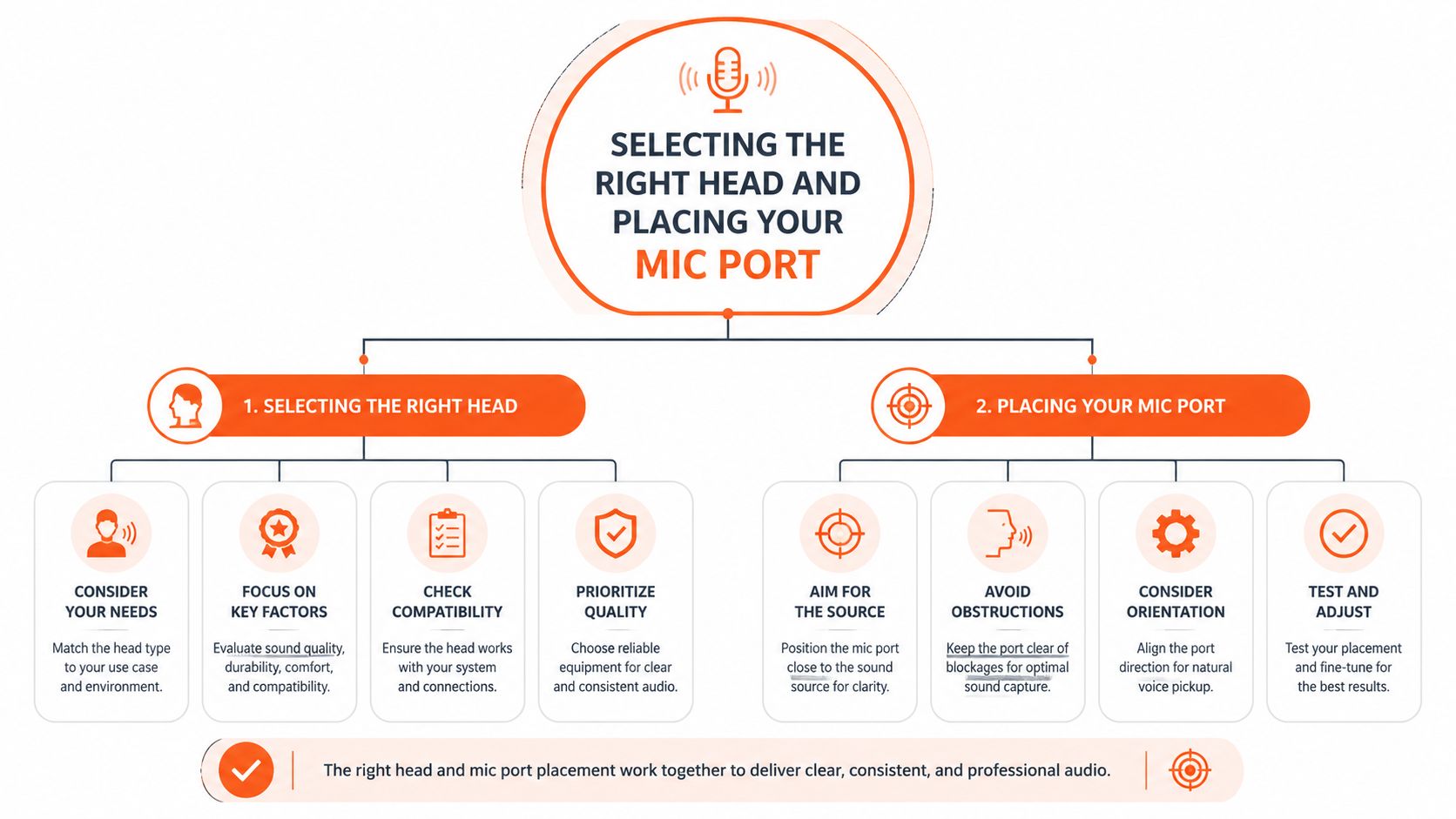
The most common custom bass drum head sizes run from 18″ to 26″, with larger pro options extending to 32″, and both front resonant and batter head options are available with custom mic port placement, according to this drum head sizing reference.
Resonant head or batter head
For most buyers, the front resonant head is the obvious choice. It gives the largest uninterrupted canvas and puts the artwork where the audience sees it. It’s the standard move for bands, teachers, worship teams, studios, and event kits that want the branding to face outward.
A printed batter head is a more specialized choice. It can work for unique visual concepts, studio content, or specific setups where the drummer wants the graphic integrated into the full kit aesthetic. The trade-off is simple. The batter side gets struck, handled, and hidden from the audience more often.
Fast comparison
| Option | Best for | Trade-off |
|---|---|---|
| Front resonant head | Visibility, branding, logos, live presentation | None for most stage uses |
| Batter head | Specialty looks, alternate concepts, specific setups | More wear and less audience visibility |
Measuring before ordering
This is one of the easiest mistakes to avoid. Don’t estimate the size from memory. Don’t assume the stock head still matches the shell if the drum has been changed, converted, or rebuilt. Measure the drum correctly and confirm whether the order is for the front or batter side.
A few practical habits help:
- Measure the actual drum: Not the old invoice, not a rehearsal note, not a guess.
- Check both orientation and purpose: The front and batter sides serve different jobs.
- Think through hardware clearance: Spurs, tom mounts, and claws can affect how the design reads once installed.
Mic port placement is both visual and functional
Mic port placement changes the look of the design and the practicality of the drum on stage. Some drummers want a classic lower-side port. Others want access from a specific side based on where the engineer or mic stand usually lands.
That’s why the port should be planned as part of the artwork, not added as an afterthought. A lower-left placement might preserve a right-heavy logo. A higher-side placement can keep a centered wordmark cleaner. The right answer depends on the design and the setup.
A port belongs where the drum and the graphic both make sense. Good placement solves two problems at once.
Buyers who want a more detailed walkthrough can read this guide to Essential drum port setup, especially if the design includes large typography or a centered emblem.
The Final Check Approval and Turnaround Time
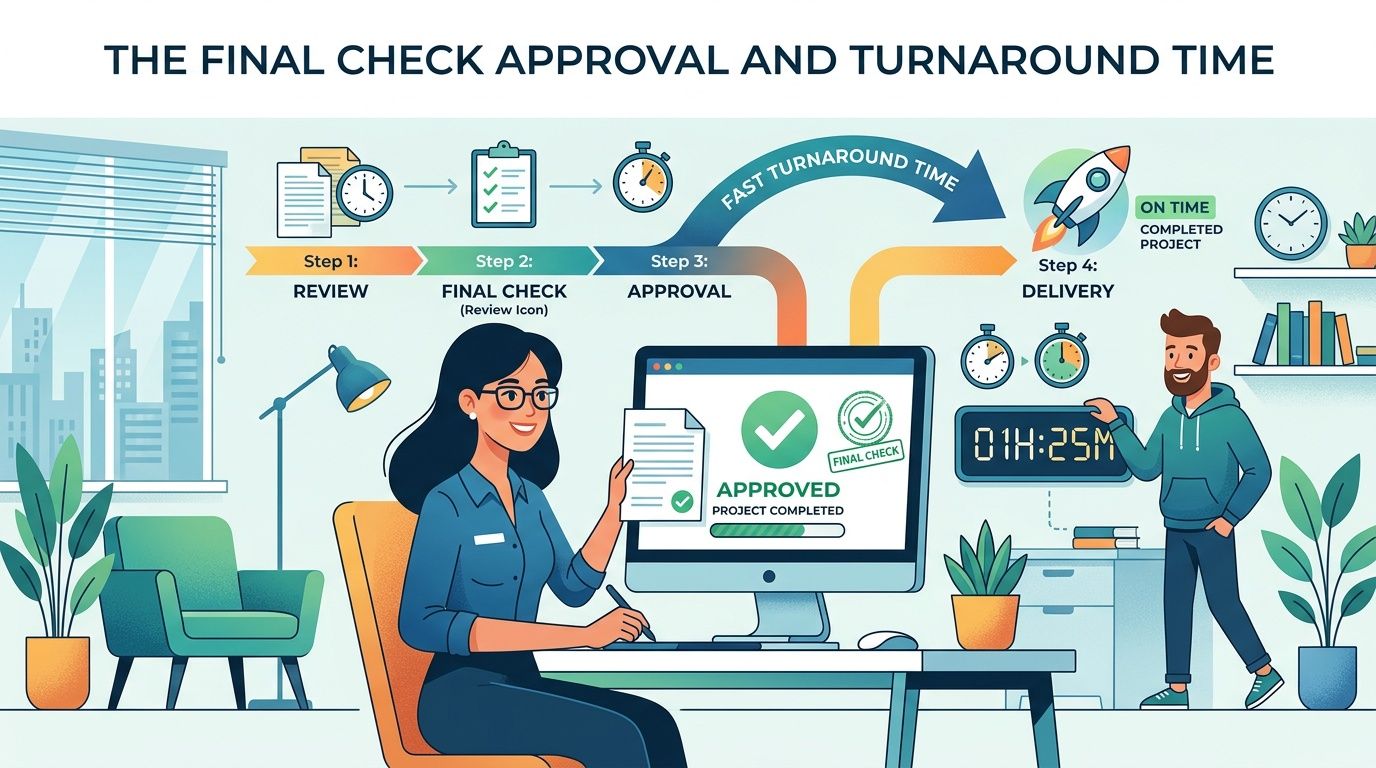
The last review matters because most avoidable mistakes happen when the buyer is excited, rushed, and ready to click through. A clean final check takes a minute and can save a full reprint cycle.
What to review before approving
Read every word in the design once for style and once for spelling. Those are two different checks. A design can look balanced and still contain the wrong album title, missing punctuation, or a social handle that’s no longer current.
Then review the layout like a tech, not like a fan.
- Spelling and naming: Band name, artist name, event title, and any taglines should be exact.
- Positioning: Make sure the design still feels centered and intentional.
- Port interaction: Confirm the cut won’t remove anything important.
- Edge confidence: Backgrounds that should extend fully need to look fully extended in the final proof.
What happens after submission
Once the order is submitted, the design typically moves into a technical review before production. That check is less about redesigning the art and more about catching preventable file issues, alignment problems, or setup details that could affect the print.
This is also the moment to be realistic about scheduling. If the head is needed for a release show, school event, session block, or tour departure, ordering early gives room for proofing, production, and shipping without panic.
The buyer’s job is to submit a clean design. The shop’s job is to make sure nothing technical gets missed before print.
When volume orders make sense
Grouped orders are often the smarter move for schools, worship teams, marching programs, backline fleets, or branded event kits. A unified look across multiple drums creates a stronger visual identity than one custom head on one isolated kit.
For buyers who are ready to move from draft to checkout, this is the point to place your custom drum head order.
Keeping Your Custom Head Stage-Ready
A properly printed head should keep working after the unboxing moment is over. That matters because a bass drum head doesn’t live in a showroom. It gets loaded, cased, leaned against walls, wiped down in bad light, and carried through venues that aren’t gentle with gear.
The long-term advantage of direct printing is durability. Independent surveys show that direct-printed resonant heads retain 95% of their tonal integrity after 50 gigs and show no peeling or bubbling, while sticker overlays can drop to 70% integrity and are more prone to damage. That difference is one of the clearest answers to the question of whether a custom head is worth it. When the print is part of the product instead of sitting on top of it, it behaves like stage gear instead of event signage.
Clean it like drum gear, not wall art
Most custom heads don’t need aggressive cleaning. They need regular light care. Dust, fingerprint oils, and residue from transport are usually the main issue.
Good habits are simple:
- Use a microfiber cloth: A dry or lightly damp microfiber cloth handles most surface cleanup.
- Wipe gently: There’s no benefit in scrubbing hard, especially around printed detail.
- Skip harsh chemicals: If a cleaner feels risky on a finish, it’s risky on the head too.
- Clean before storage: Dirt that sits in the case tends to become harder to remove later.
Protect the print during transport
Transport damage is more common than print failure. The front of the bass drum often takes contact from cases, stands, pedal bags, cables, and rushed load-outs. That means the care routine should focus on handling, not just cleaning.
A few practical choices help a lot:
- Face the graphic away from loose hardware: Don’t let metal accessories ride against the printed side.
- Use proper case spacing: Pressure and rubbing create cosmetic wear over time.
- Watch storage surfaces: Leaning the drum graphic-first against rough walls is asking for scuffs.
- Plan setup paths: The more often the drum gets squeezed through clutter, the more exposure the head takes.
What lasts visually on real gigs
Not every design ages the same way. Simple, high-contrast artwork usually stays readable even after hard use. Fine detail can still look great, but it benefits more from careful transport and regular wipe-downs. Matte-looking, low-glare designs often hide fingerprints better than very reflective visual treatments in live rotation.
That doesn’t mean buyers should avoid ambitious graphics. It means the design should match the use case. A touring band, a school drumline, a house kit, and a studio showpiece don’t all need the same visual strategy.
A custom head earns its place when it still looks professional after repeated setup and teardown. That’s the true buying standard. Not how it looks in the first photo, but how it holds up once the calendar fills up.
A great custom bass drum head starts with the right file, the right fit, and the right preview. If the design is ready to move from idea to stage, Custom Bass Drum Heads lets buyers upload artwork, build the layout in the browser, choose size and port placement, and order a printed head made for real-world use.