A lot of drummers reach the same point at the same time. The band sounds tight, the songs are ready, the social pages finally look consistent, and then the front of the kick drum still says nothing.
That gap matters more than most players expect. The bass drum head is the biggest visual surface on the kit, and on stage it often becomes the thing people remember first. If the artwork is sharp, readable, and placed well, it gives the whole band a more finished identity. If it’s cluttered, blurry, or built without thinking about mic access, it can look amateur and create avoidable headaches at load-in.
Making a custom bass drum head involves more than just uploading a logo. It starts with the drum’s size, moves through file prep and port decisions, and ends with a print that still looks right under lights and still works for the sound engineer.
Your Kit’s Next Upgrade A Custom Bass Drum Head
A custom bass drum head used to be a project. Now it’s a production decision.
Back in a 2009-era DIY bass drum decal tutorial, the process involved resizing a logo to 7 inches wide, tracing it, cutting it by hand, and applying it with transfer paper. That workflow put the burden on the drummer to size the graphic correctly, weed the material cleanly, line it up straight, and avoid bubbles during install.

Modern custom-head design changed that. Instead of adapting a vinyl-sign process to a drum, players can now build artwork in a browser, move elements around, approve the layout, and send that approved version to print. That shift turned custom heads from a hand-applied craft project into a repeatable option for touring bands, schools, and other groups that need consistency from one head to the next.
Why this upgrade changes the whole stage look
A stock front head keeps the kit neutral. A custom one gives the kit a job to do.
For a working band, that usually means one of three things:
- Brand recognition. The logo reads from the room, in photos, and in video.
- A cleaner setup. The drum looks intentional instead of temporary.
- A more complete identity. The visual side of the band catches up with the sound.
A strong bass drum head doesn’t need to be complicated. It needs to be recognizable fast.
What works better now than it did before
The biggest improvement isn’t just convenience. It’s predictability.
Older decal methods left too much room for install error. Browser-based mockups and direct printing remove most of that guesswork before production starts. That matters for players who don’t want to discover too late that the logo sits too low, the text curves awkwardly, or the mic port cuts through the one part of the design that was most important.
A custom bass drum head isn’t just decoration. It’s the visual center of the kit. Built correctly, it makes the band look more prepared before anyone hears the first song.
Nailing the Foundation Sizing and Mic Ports
A custom front head can look perfect in a mockup and still create problems on stage if the size is off or the port lands in the wrong place. These are the decisions that affect setup time, mic access, and whether the logo still reads once the drum is under lights.
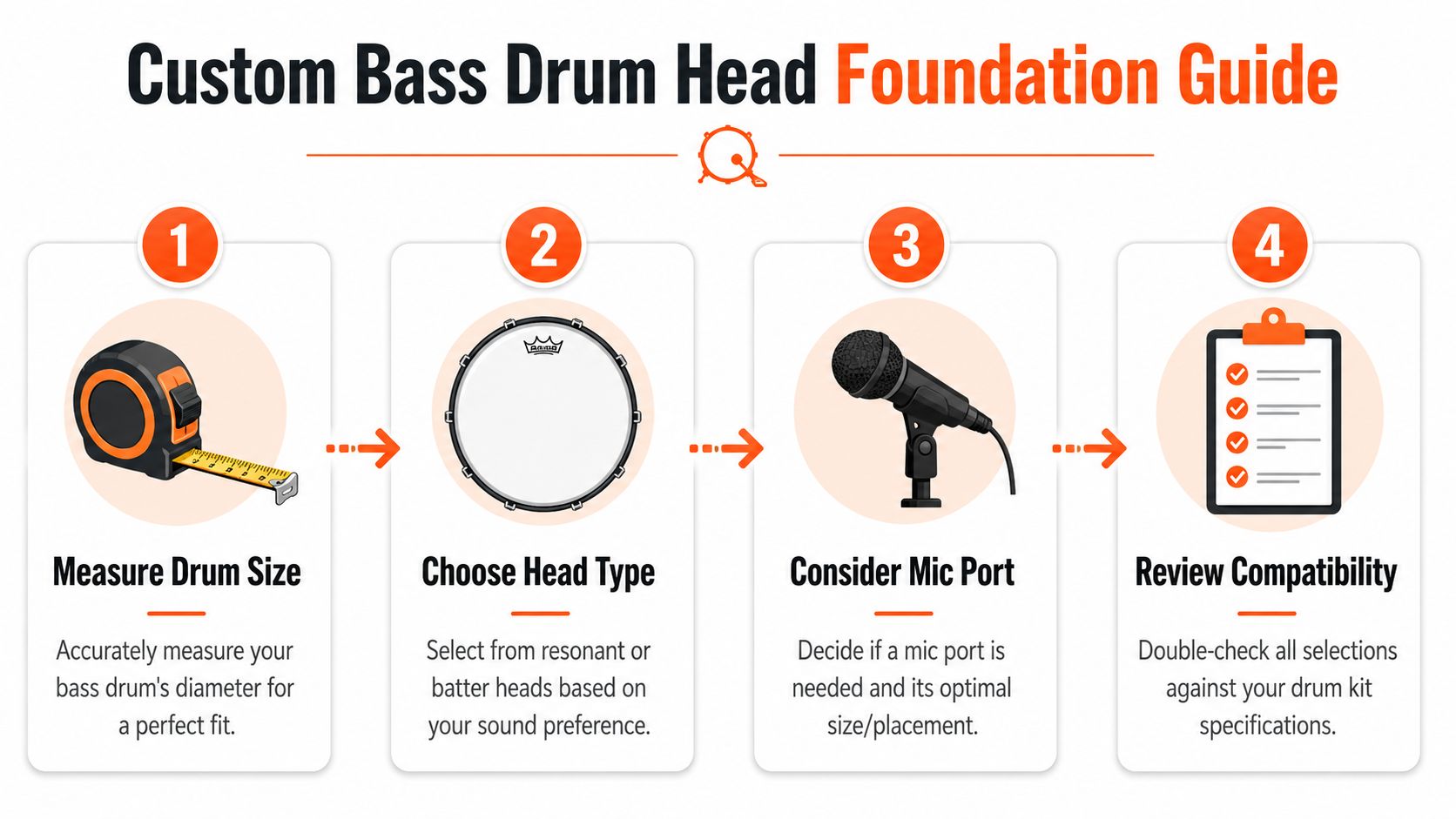
Bass drum heads come in a wide range of standard diameters, with most drum kits falling into the common front-head sizes players see every day. Mic ports also come in several standard cut sizes. In practice, the right choice depends less on what is available and more on how the drum will be used. A front head for a touring band, a church kit, and a studio setup may all need different answers.
Measure first, then design around it
Use the actual drum head size, not a guess from memory and not the shell size someone listed years ago on an order form.
That mistake causes more problems than bad artwork.
Measure the head you are replacing, or confirm the exact diameter before anyone starts laying out the logo. This detail is important because artwork scale shifts fast between drum sizes. A mark that feels balanced on a smaller head can look lost on a larger one. On the other side, a design built too aggressively for the print area can feel cramped once hardware, hoop coverage, and a port enter the picture.
A clean process works best:
- Confirm the front head diameter
- Verify whether the head is resonant or batter side
- Decide if you need a mic port
- Place the artwork only after those choices are locked
That order saves revisions.
Port placement affects soundcheck and sightlines
A mic port is not just a hole for an engineer. It changes how the front head works and how the design reads from the room.
Players usually notice the visual side first. Engineers notice the access. Both are right.
A smaller offset port preserves more printable space and usually keeps the main logo intact. A larger port gives quicker access and more room for microphone placement, but it removes a noticeable chunk of the design. If the band name, crest, or central graphic lives too low on the head, the port can cut straight through the one element that needed to stay clean.
Low-side placement is still the safest choice for many designs because it leaves the center open for the logo. High-side placement can work well too, especially if the layout has text along the bottom or a graphic that needs the lower quadrant untouched. The wrong placement is the one chosen after the artwork is already approved.
Practical rule: if the mic port crosses the band name, rebuild the layout before print.
For more placement guidance, these tips for bass drum ports cover the common setup choices.
Match the port to the job
In this context, real-world trade-offs matter more than theory.
For live work, many drummers want easy mic access, fast setup, and a design that still reads from the back of the room. For studio use, the priority may shift toward head response, damping choices, and keeping the front surface cleaner. Shared kits and backline rigs benefit from practical port placement because different engineers will approach the drum differently, and nobody wants to fight a bad cut position during line check.
I usually tell customers to answer three questions before they worry about colors or fonts. What size head is going on the drum? Does the setup need a port at all? If it does, where can that opening sit without damaging the part of the design people need to recognize first?
Get those answers right, and the rest of the custom head process gets much easier.
Preparing Your Artwork for a Flawless Print
The file that looks sharp on a phone often becomes the weak point once it fills a bass drum. I see this all the time with logos pulled from social profiles, screenshots, and old web graphics. They pass a quick screen check, then show rough edges, soft type, and visible pixelation at print size.
Start with a file built for print. For most custom bass drum heads, that means artwork prepared at 300 DPI at the final print size, or a vector file for logo-based art. Vectors are the safest option for simple marks and lettering because the edges stay clean no matter how the artwork is scaled. Photo-based artwork can work well too, but only if the original file is large, sharp, and not heavily compressed.
Small files cause predictable problems.
A badge logo may still look usable on a laptop, but once it is enlarged across a 20-inch or 22-inch head, every flaw gets exposed. Fine outlines get fuzzy. Drop shadows turn muddy. Thin text starts to break apart. If the design includes a mic port, those weak areas become even more obvious because the cutout removes part of the image and leaves less room for error.
Start with the right kind of file
Use the original source file whenever possible. If your designer has an AI, EPS, PDF, or SVG version of the logo, send that first. If the design is photo-driven, send the highest-quality original image, not a version downloaded from a website or pulled from a social post.
Good print files also need the layout built for a round surface. That part gets missed more than resolution. A rectangular flyer design or album graphic often needs to be reworked before it belongs on a bass drum head. The art has to sit comfortably inside the printable area, leave room near the outer edge, and avoid crowding any area that may be interrupted by hardware or a port cut.
Artwork file specifications at a glance
| Attribute | Requirement | Why It Matters |
|---|---|---|
| Resolution | 300 DPI | Keeps artwork sharp when enlarged to drum size |
| Logo art | Vector preferred when available | Preserves clean edges and smooth scaling |
| Photo art | Use the highest-quality original file available | Helps avoid softness and visible pixelation |
| Layout planning | Build with the full drum face in mind | Prevents crowding near lugs, edge area, or port location |
| Final review | Check the mockup at actual composition, not just zoomed in | Catches balance and readability issues before print |
For more detail on common file mistakes, this guide on avoiding drum head artwork pitfalls covers the issues that show up most often.
Build the artwork for the drum, not just the file
A clean file does not guarantee a strong result on the finished head.
The layout still has to work in practice. Band names need enough weight to read under stage lights. Important parts of the logo need to stay clear of the collar and outer edge. Any planned port cut has to be treated as part of the design, not as an afterthought added after approval. I usually tell customers to mark the safe area first, then place the logo, then decide whether any supporting text still helps the design or just clutters it.
Clean files prevent print problems. Clear layouts prevent stage problems.
That distinction matters. The printer can reproduce a low-contrast, overcrowded design exactly as submitted. If the artwork depends on tiny detail, soft tonal shifts, or text packed too close to the edge, the print may be accurate and still disappoint once the drum is on stage or under a microphone.
Design Principles for Maximum Stage Impact
A bass drum head lives on a round surface, under uneven lighting, and often gets viewed from the back of the room. That changes what counts as a good design.
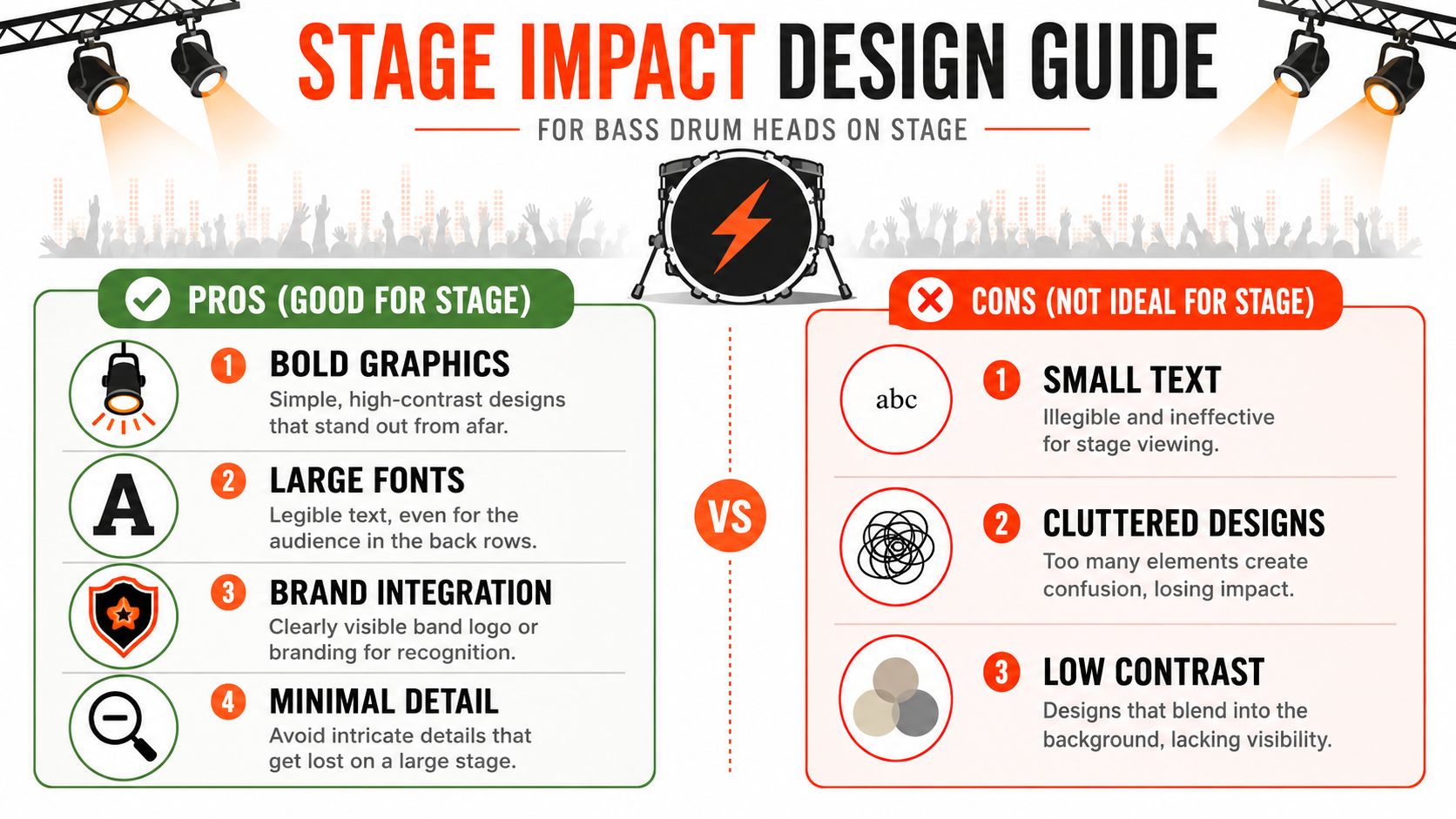
A layout that feels clever on a monitor can disappear on stage. Thin type fades. Busy illustrations collapse into noise. Low-contrast color combinations flatten out under lights. The strongest custom heads usually win because they’re simple enough to read instantly.
What reads from the room
The first test is distance. If the design can’t be understood quickly, it’s doing too much.
Designs with the most stage presence usually share a few traits:
- High contrast. Light art on a dark field, or dark art on a light field, tends to hold up better than subtle tonal differences.
- One clear focal point. A logo, symbol, or band name should dominate.
- Limited detail. Fine textures and tiny decorative elements rarely survive distance.
- Intentional empty space. Negative space helps the main element breathe.
One of the easiest checks is to shrink the design view or step back from the screen. If the identity vanishes, the audience will lose it too.
What weakens a design even if the artwork is good
Some files are professionally made and still don’t belong on a bass drum head.
Common issues include:
- Small text blocks that demand close reading
- Complex photo collages with no single focal point
- Background-heavy layouts where the logo competes with the art
- Port placement conflicts that remove the most important visual area
This is also where practical acoustics come into the conversation. Many custom-head guides ignore the relationship between design and functional port placement, even though configurable logo and port position are part of modern custom head workflows. That gap is noted in this discussion of custom drumhead design and port placement choices. A design that looks centered and dramatic may need to shift if the drum also needs a usable left, right, high, or low mic port.
A better way to choose the final concept
Most buyers narrow themselves into the wrong question. They ask which design looks coolest up close.
The better question is which design is practical:
- From audience distance
- In dark rooms
- In photos and video
- With a port if needed
- Across repeated setup and teardown
A lot of bands also get stuck before the artwork phase because the logo itself isn’t settled. If that’s the issue, this guide on choosing a band logo can help clarify what belongs on the head in the first place.
The best stage design is usually the one that sacrifices a little detail to gain a lot of clarity.
That trade-off is worth making. A bass drum head is branding at performance scale, not a poster that people study from inches away.
From Screen to Stage The Mockup and Printing Process
The mockup stage is where a custom head stops being an idea and starts becoming a real object.
A browser-based designer lets the customer upload artwork, move it around the drum face, scale it, rotate it, and account for practical details like placement and cutouts before production starts. That preview matters because it removes a lot of the uncertainty that used to define custom drum graphics.

What to check before approving the mockup
This part deserves more attention than most buyers give it. The file may be correct, but the composition can still be off.
Before approving, look for:
- Visual balance. Does the logo sit naturally on the head, or does it drift too high or low?
- Text clearance. Is any wording too close to the edge or future port area?
- Scale. Does the design fill the head confidently without feeling forced?
- Readability. Would someone across the room understand it fast?
One practical example of this workflow is Custom Bass Drum Heads, where users can design in the browser and review a live mockup before print.
Why direct printing matters
Once the mockup is approved, the production method becomes the primary quality divider.
Major manufacturers offer direct-printed custom graphic drumheads, and that approach is better suited than sticker-based methods for photo-quality artwork, gradients, and fine line work, while also avoiding common failures like bubbles and peeling edges, according to this overview of direct-printed custom graphic drumhead options.
That difference shows up in practical use:
- No separate film layer to align
- No vinyl edge to start lifting
- Cleaner handling for detailed art
- More reliable repeatability for stage and tour use
Approval is the last easy moment to fix a problem. After printing, the file becomes physical.
That’s why the best mockup reviews aren’t rushed. A few extra minutes spent checking scale, spacing, and port interaction usually prevent the kinds of mistakes people only notice after the head is out of the box.
Delivery Timelines and Caring For Your New Head
Once the order is approved, most customers want to know two things. When it will arrive, and how to keep it looking good once it does.
Turnaround depends on the production queue and the order details, so the safest move is to check current shipping options before placing the order, especially if the head is tied to a release show, session date, school event, or tour start.
Handling it the right way
A printed head doesn’t need complicated maintenance, but it does benefit from basic care.
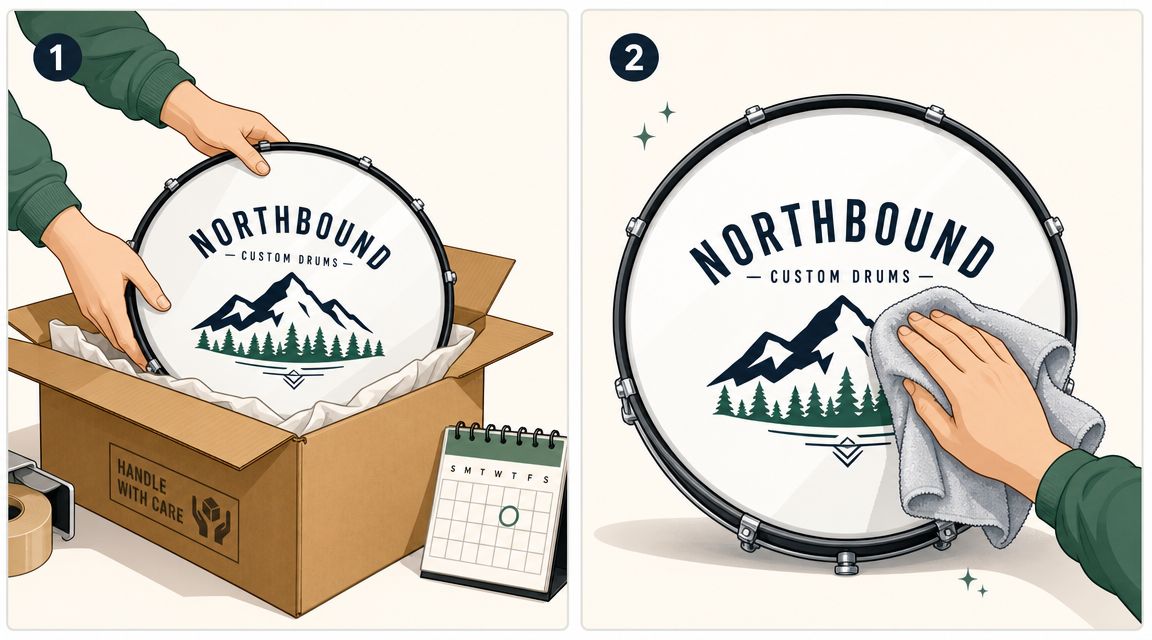
- Unpack carefully. Don’t drag sharp tools across the printed surface when opening the package.
- Install on a clean drum. Dust, grit, and rough contact points can mark any new head faster than people expect.
- Wipe gently. Use a soft cloth for light cleaning and avoid anything abrasive.
- Be mindful at load-out. Hardware corners, stacked stands, and rushed teardown cause a lot of cosmetic damage.
Keeping the graphic looking stage-ready
Most wear comes from handling, not from the print itself.
If the head is used regularly, treat the front of the drum as a finished visual surface, not just another piece of gear to toss into the pile. Careful packing, sensible cleaning, and a little caution during setup go a long way toward keeping the artwork crisp from one show to the next.
Frequently Asked Questions
Does a custom printed front head change the sound
A front bass drum head still functions like a front bass drum head. The bigger practical sound variables usually come from the head choice itself, tuning, muffling, and whether the drum includes a port.
Can a custom head still look clean if it needs a mic hole
Yes, if the layout is built around the port from the beginning. Problems usually happen when the hole gets added after the artwork is already centered on the exact spot where the port needs to go.
What kind of design usually works best live
Simple, bold artwork with strong contrast usually wins. A clear logo or symbol tends to outperform dense graphics, small type, or subtle color differences when the audience is seeing the drum from a distance.
Are photo-based designs possible
Yes, as long as the source file is strong enough for print. The key issue isn’t whether it’s a photo. It’s whether the file has enough quality and whether the composition still reads well on a drum face.
Is a sticker or decal the same as a printed head
No. A direct-printed head avoids the common installation problems associated with applied graphics, especially around bubbles, peeling, and edge reliability.
Can an existing design be adjusted for better stage visibility
Usually, yes. Many designs improve once the text gets larger, the contrast gets stronger, or less important detail is removed.
Is a custom bass drum head worth it
For players who gig, record, teach, or want the kit to reflect a real identity, it usually is. The bass drum is one of the few parts of the kit that functions as branding every time the drums are on stage or on camera.
If the artwork is ready, or even if it still needs refining, Custom Bass Drum Heads makes it easy to turn a logo, photo, or concept into a printed bass drum head that fits the kit, works with the mic setup, and looks right under real stage conditions.