A lot of drummers land in the same spot. The kit sounds right, the songs are tight, the group finally has a logo that doesn’t look like a last-minute rehearsal flyer, and then the front of the bass drum still says nothing.
That blank circle becomes impossible to ignore once shows, livestreams, church services, recitals, or promo photos start piling up. It’s the visual center of the kit. It sits in every wide shot. It tells the room whether the setup looks thrown together or fully branded.
A good custom drum kit designer closes that gap. It takes the idea in a drummer’s head, whether that’s a clean logo, a full graphic, or a photo-based concept, and turns it into something that can be printed, fitted, and used without ugly surprises. That’s the part many articles skip. They show inspiration, but not the path from art file to installed head.
Your Kit’s Visual Heartbeat Begins Here
You open a browser tool between rehearsals, drop in the band logo, and for the first time the front head stops being an empty circle and starts looking like part of the act. That moment matters. A good on-screen preview saves time, but it also sets a trap. If the design looks great in the tool and the file is weak, the printed head can still come out soft, crowded, or awkward once it is stretched onto the drum.
That gap between “looks good on my screen” and “looks right on the kit” is where plenty of custom projects go sideways. The browser-based designer is useful because it lets drummers test placement, scale, and overall feel before ordering. The print result still depends on practical choices made early, especially the artwork quality, the drum size, and the details that get lost once a round head replaces a rectangular artboard.
The front head carries more visual weight than any other surface on the kit. From the audience, it reads as the center of the setup. From a print standpoint, it is also the piece that punishes weak files fastest.
Why the front head matters more than most players expect
A custom bass drum head has to work in more than one setting. It needs to read from across the room, hold up in photos, and still look balanced when pedals, hoops, mics, and stage lighting enter the picture.
A few jobs usually fall on that one surface:
- Identity: the band name, artist mark, school logo, or ministry branding becomes readable at a glance.
- Consistency: the kit looks connected to the rest of the act instead of looking borrowed from another project.
- Presentation: wide shots and promo photos look planned, even in ordinary rooms with ordinary lighting.
- Practical visibility: a strong, simple graphic survives distance better than a busy design full of small details.
Here is the rule I use in the print shop. If the main idea does not read quickly on a screen mockup at reduced size, it usually needs to be simplified before it ever reaches the press.
Some drummers want a loud graphic. Some want a clean logo with plenty of space around it. Both approaches can work. The better question is whether the design can make the trip from file to printed head without surprises.
If you are still sorting out the visual direction, browsing finished drum heads for bands helps set the bar for what works on a real kit, not just inside a design window.
From Vision to Vector Choosing Your Perfect Artwork
The hardest part often isn’t printing. It’s choosing what belongs on the head in the first place.
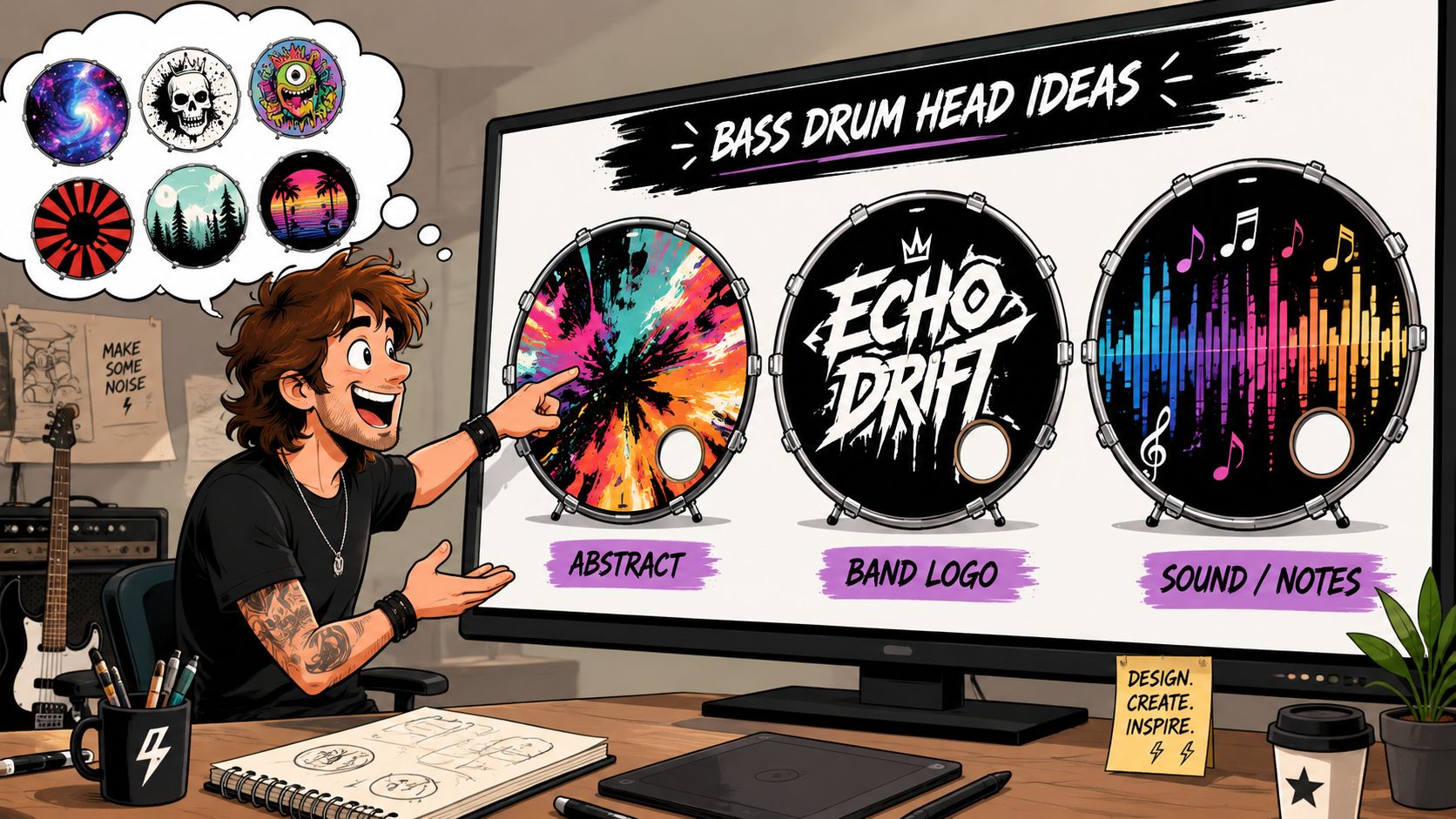
A round format behaves differently than a square poster or social media graphic. The design has to read quickly, survive stage lighting, and still look balanced once a mic port or hardware enters the picture. That’s why strong custom bass drum artwork usually starts with restraint, not maximum detail.
What tends to print well
The safest designs aren’t boring. They’re clear.
A few artwork directions usually translate well to a bass drum head:
- Bold logos: great for bands, teachers, churches, and school programs that already have an established identity.
- Symbol-first graphics: useful when a mark is more recognizable than the full name.
- Photo-based art: works best when the image has strong contrast and a clear focal point.
- Illustrated graphics: excellent for solo artists or themed projects when the art style matches the music.
Busy collages often disappoint once they hit a large circular surface. Tiny text, stacked effects, and multiple competing focal points can look exciting on a screen and muddy on a drum.
Think from the back of the room
A drummer choosing art for a front head should ask a simple question. What will a person see first from a distance?
Usually, the answer should be one of these:
- A name.
- A symbol.
- A face or focal graphic.
- A strong shape.
If the design asks the audience to decode several layers at once, it’s doing too much. That’s especially true under colored stage wash, where mid-tone colors can flatten into each other.
A few practical checks help:
- Contrast: dark logo on light field, or light logo on dark field, usually reads better than subtle tone-on-tone art.
- Spacing: leave breathing room around the main mark so it doesn’t feel cramped by the hoop.
- Circular balance: avoid treating the head like a flyer. Corners don’t exist here.
- Kit match: the head should complement shell wrap, hardware color, and venue style.
A drum head doesn’t need to tell the whole story. It needs to be recognized fast.
For drummers still sorting out concepts, creating your best drum head look is a useful place to pressure-test ideas before sending a file.
Pre-Flight Check Preparing Your Files for a Flawless Print
At this point, good ideas either stay clean or fall apart.
Most print problems don’t come from bad taste. They come from bad files. A logo pulled from a website, a screenshot sent over text, or a social media image saved and stretched larger than it was meant to go will almost always look worse in print than it did on a phone.
Know what kind of file you’re sending
Not every file behaves the same way.
| File type | Best use | Watch out for |
|---|---|---|
| SVG or PDF | Logos, line art, text-based graphics | Great when built cleanly |
| PNG | Artwork with transparency | Can still be low resolution |
| JPG | Photos or flattened artwork | Compression can soften edges |
Vector files are the cleanest option for logos because they scale without turning fuzzy. That matters on a large front head. A raster image like a JPG or PNG can still work, but only if it starts large and sharp enough for print.
A simple way to think about it is this. Vector art is built from paths. Raster art is built from pixels. Pixels run out.
Resolution and color mistakes that show up fast
Website images are one of the biggest traps. They’re meant for screens, not large-format print. Stretching a small image to fit a drum head is like enlarging a tiny photocopy and expecting crisp edges. It doesn’t happen.
A few checks prevent most trouble:
- Use the largest original file available: not the version downloaded from social media.
- Avoid screenshots: they almost never hold up well for print.
- Keep text editable until final prep: then convert it to outlines or curves.
- Expect some color shift from screen to print: screens glow in RGB, print uses ink behavior. Neon-looking screen colors often need adjustment.
Shop-floor reality: If a black logo looks soft on a plain white screen at full size, it will look softer once it’s printed on a drum head.
Another common issue is transparency and background cleanup. A file may look fine on a white artboard but reveal a faint box, leftover edge, or rough cutout once it’s placed over a different head color or finish.
The file checklist worth using every time
Before upload, the artwork should pass this short test:
- Is the main logo or image the original file, not a screenshot?
- Are the edges clean when viewed large?
- Has all important text been kept away from the outer rim area?
- Will the design still work if a port hole removes part of the lower section?
- Has someone checked spelling one last time?
For anyone working through the technical side from scratch, make custom bass drum heads gives a practical walkthrough of the process from file prep through order setup.
The Perfect Fit Sizing Ports and Head Types
Great artwork can still miss the mark if the physical setup is wrong. Fit matters. Port placement matters. The choice between a front head and a batter head matters.
A custom drum kit designer should solve those decisions before the file goes anywhere near print. Otherwise, the drummer ends up designing for the wrong diameter, clipping the logo with a mic port, or placing key artwork where hardware interrupts it.
Measure first, design second
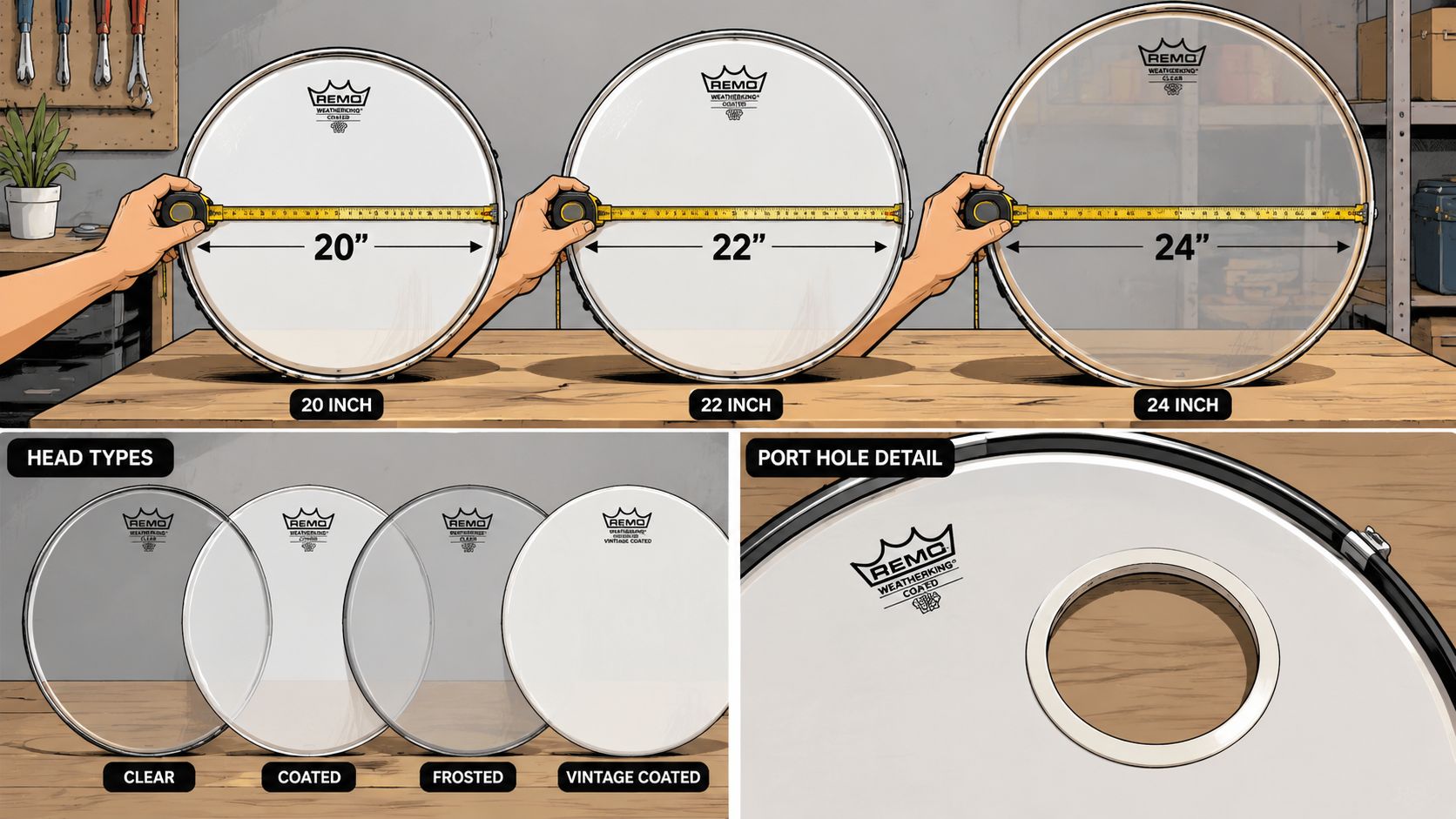
The correct size is the drum head diameter, not the shell depth. That sounds obvious, but it trips people up all the time when they’re ordering quickly.
A clean sizing routine looks like this:
- Confirm the bass drum diameter directly: check the current head or measure the shell properly.
- Don’t estimate by eye: an almost-right size isn’t right.
- Design for the actual printable face: hoop coverage and edge spacing affect how large the art should sit visually.
For a clearer explanation of what counts and what doesn’t, drum head diameter and depth breaks down the measurement side.
Port placement is both visual and practical
The mic port isn’t just a technical cutout. It changes the composition.
A lower-side port often works well because it leaves the center graphic mostly intact while still giving practical access for miking. But the “right” location depends on the drummer’s normal setup, house-engineer preference, and the artwork itself.
A few trade-offs are worth weighing:
- Lower-left or lower-right port: usually easy to work around in the design.
- Higher port placement: can suit some layouts, but may intrude more on logos or focal art.
- No port: visually cleaner, but only if the player doesn’t need that access or feel change.
A mic port should look intentional. If it feels like it was punched through the middle of the design as an afterthought, the layout needs another pass.
Front head or batter head
Most custom graphic work is aimed at the front resonant head because that’s the part the audience sees. A batter head can be customized too, but it serves a different purpose and takes direct beater contact.
That means the decision should follow use:
| Head type | Best for | Main consideration |
|---|---|---|
| Front resonant head | Branding, visuals, stage presence | Most visible option |
| Batter head | Personalization on the player side | Wear and impact matter more |
For most buyers considering a printed logo or full artwork, the front head is the natural choice because it does the branding job without asking the design to survive constant beater strike.
See It Before It Prints Using Mockups and Proofing
The proof is the moment where a cool design either holds together or starts showing cracks.
I have seen files that looked sharp on a laptop and felt wrong the second they were dropped onto a drum head preview. The artwork was fine. The layout was not. A live browser mockup helps catch that before ink, material, and turnaround time get wasted.
Why mockups catch mistakes that raw files hide
A flat file does not show the job the way a finished head does. The circular crop changes spacing. The hoop area changes what feels centered. A port can remove the one detail the whole design depends on.
That is why proofing deserves real attention.
Mockups usually expose a few common problems fast:
- Artwork pushed too far out: logos and border details can crowd the rim and lose breathing room.
- Centering that feels off: a file can be technically centered but still look high, low, or heavy on one side once it sits on the drum.
- Port interference: one cut can take out a letter, a face, or the cleanest part of the composition.
- Details that vanish at distance: thin lines, small type, and subtle textures often look better on screen than they do from the audience.
The goal is simple. Get the design to read clearly on the actual product, not just inside the file.
Approval is where print surprises usually get prevented
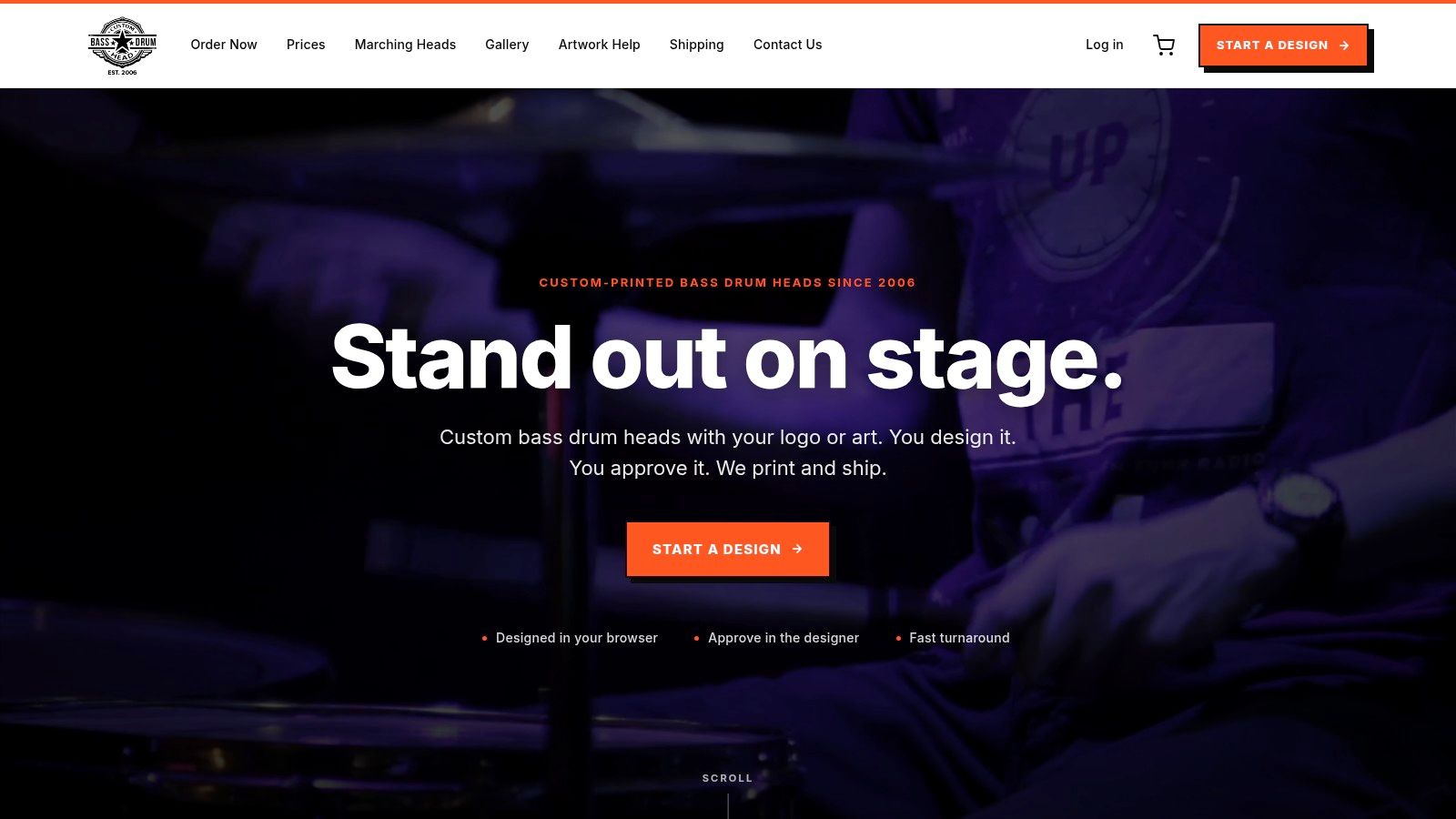
A browser-based workflow helps because it keeps the creative side and the print side in the same place. You upload the art, place it on the head, review the setup, and approve what should go to print. You can order from Custom Bass Drum Head and handle that review step directly in the browser.
That approval screen is not a formality. It is the last practical check before production. Hidden backgrounds, accidental low resolution, awkward scaling, and small text issues often surface at this stage. Balance problems, easily overlooked in the original art file, also become noticeable.
I always recommend checking a proof the way the head will be seen in real life. Look at it full size on a proper screen. Then step back and ask a blunt question. Does the main idea read immediately, or do you have to study it?
Final checkpoint: Don’t approve the proof until the design has been checked at full attention, not between errands or from a dim phone screen.
Your Kit in the Real World From Stage to Sanctuary
Load-in is over, the lights come up, and the bass drum is now part of the room. At that point, nobody cares how good the artwork looked on a laptop. They see whether the name reads from the back, whether the mic port makes sense for the engineer, and whether the whole kit still looks like your band, church, or program in photos.

That is a true test for a custom head. A browser-based designer helps you get from artwork to installed head with fewer missed details, but the design still has to survive actual use. Good-looking files can fail fast once they hit a dark stage, a reflective sanctuary platform, or a shared backline.
Different rooms put pressure on different parts of the design.
A touring act usually needs repeatability. If one festival supplies a house kit and the next date uses your own shells, the front head still has to read the same way. Clean marks, strong contrast, and port placement that works with standard miking usually hold up better than busy layouts built around one exact setup.
Churches and worship teams often need restraint more than volume. The head has to sit well with stage branding, camera shots, and a wider visual package without pulling too much attention. Schools and marching programs usually benefit from simple artwork that reads fast, looks organized from a distance, and can be reordered later without guessing which version was printed last time.
I see the same trade-off in the print shop all the time. The boldest concept is not always the one that performs best. The head that keeps working under poor light, on a crowded riser, and in wide photos usually wins.
A design earns its keep when it handles real conditions:
- Low light: strong contrast keeps the name readable.
- Close miking: the port supports the usual setup instead of cutting through the main graphic.
- Wide photos and video: the branding still makes sense when the kit is one part of a larger frame.
- Repeat orders: the files, sizing, and placement stay consistent from one head to the next.
That practical chain matters. Artwork starts the job. Correct files, accurate setup in the browser, and careful approval are what get you to a printed head that looks right once it is mounted.
A drummer who is ready to turn artwork into a finished, installed head can start the process at Custom Bass Drum Head, upload the design, preview the layout in the browser, and move toward a printed head with fewer surprises.