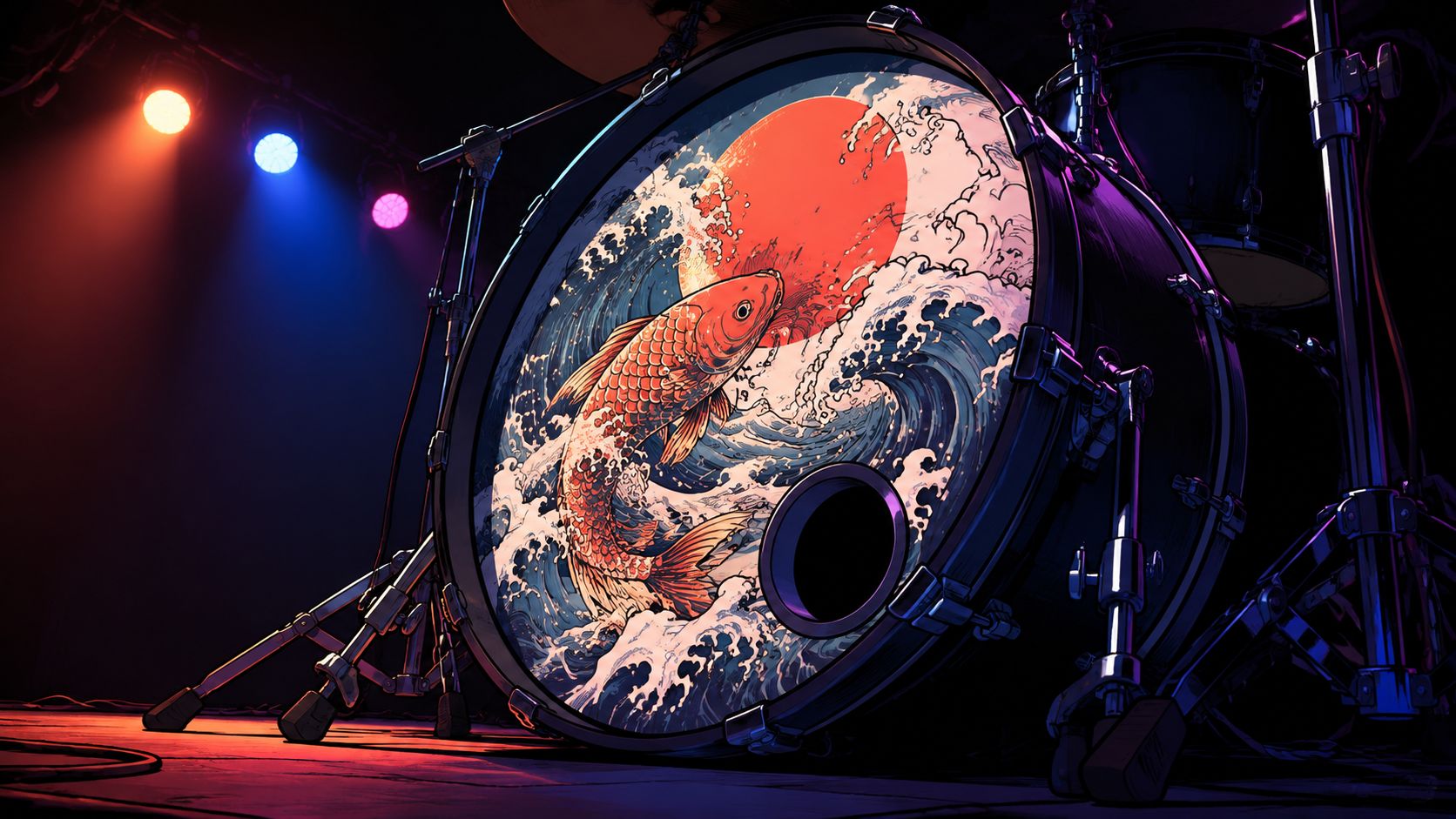
The first time a drummer sees a custom front head under live lighting, the reaction is usually the same. The kit suddenly looks finished. The logo reads from the back of the room, the art catches the stage wash, and the bass drum stops feeling like a blank surface waiting to be covered later.
That moment only works when the design survives both printing and the stage. Graphic bass drum heads have gone from a novelty to a practical branding surface because the front of the kit now carries the band’s name, the school’s identity, or a worship team’s visual language without needing extra banners or backdrop clutter. The catch is that a design that looks polished on a laptop can still fail once it’s stretched across a real drum under LEDs, haze, and moving bodies.
What Makes a Graphic Bass Drum Head Worth the Investment
A good custom front head doesn’t just decorate the kit, it solves a visibility problem. The drummer’s logo or artwork becomes the most direct identifier onstage, especially when the rest of the rig is partially hidden by cymbals, risers, or side fills. That’s why graphic bass drum heads have become a practical branding tool for working musicians, schools, and worship teams, not just a novelty for special shows.
The investment makes sense when the art does real work. A clean logo on the front of the kick tells the audience who’s playing before the first chorus lands, and it gives video crews a focal point that stays consistent across gigs. The visual payoff is immediate, but it only holds up if the print is crisp enough to read at distance and the head still feels like a drumhead, not a sticker.
Why the surface matters as much as the artwork
The material story matters here. The modern graphic bass drum head only became practical after the move from animal hide to synthetic materials in the 1950s, when Chick Evans invented the plastic drumhead in 1956 and Remo Belli and Sam Muchnick developed a Mylar polymer head in 1957 (drumhead history). Those plastic heads were described as cheaper, more durable, and less sensitive to weather than animal skin, which fixed the old problem of heads changing behavior with humidity and temperature.
That shift is what made printed front heads viable. Calfskin moved with the weather, synthetic film stays consistent, and a stable surface is far better for repeatable artwork. The graphic head isn’t just a visual add-on, it’s a materials breakthrough turned into a stage branding tool.
Practical rule: if the head has to look good from the back of the room, the art needs a stable film surface beneath it, not a reactive natural skin that changes with the weather.
The sound concern is real, though it’s often overstated. A printed head still has to sit in the same acoustic job as any other resonant or batter head, so the buyer needs to choose the construction first and the artwork second. That’s why the print process matters, because the best systems integrate the graphic into the head film rather than piling on a separate layer that changes feel.
How Graphic Bass Drum Heads Are Printed
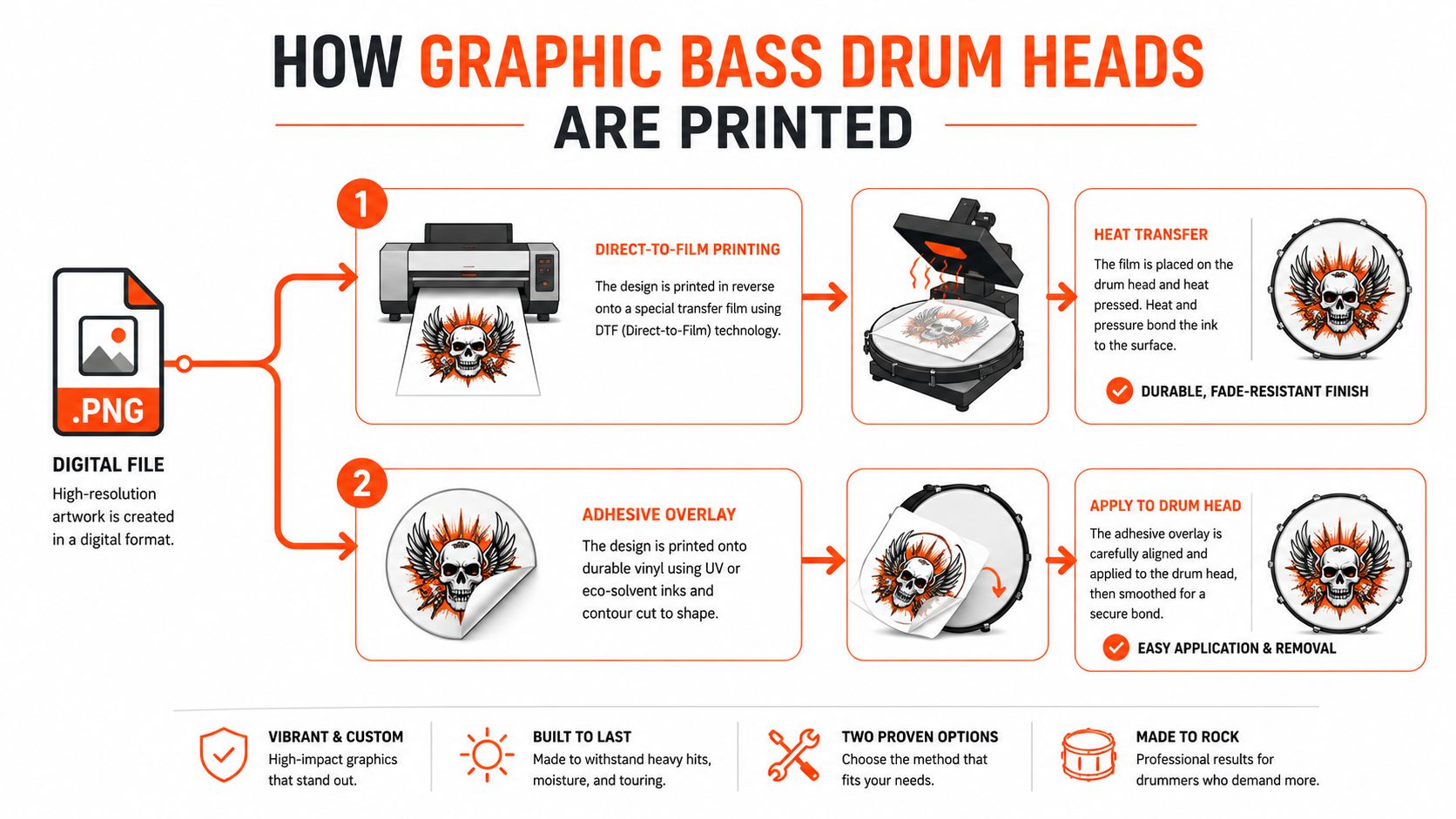
The production path starts long before ink reaches the head film. An order usually begins with a digital proof, then moves through sizing, file review, and layout checks before anything goes to press. Browser-based ordering helps here because it lets the buyer catch obvious placement problems, port issues, or logo cropping before the head is made.
At the material level, the process depends on the synthetic film foundation that made printed heads practical. Mylar-based head surfaces give printers a durable, weather-resistant substrate, and that matters because the image still has to survive tensioning, handling, transport, and repeated stage use. In practice, the print job is only as good as the head underneath it, because a graphic on a weak surface may look fine for a day and then start to disappoint after a few gigs.
What the proofing step protects
The biggest production win is mockup approval. A browser-based proof catches mistakes that would otherwise show up after printing, such as text sitting too close to the hoop, a logo placed off center, or artwork that looked balanced on a square canvas but not on a round drum. That digital approval step is standard for a reason, it reduces avoidable waste on a product where the diameter and the hole placement both affect the final composition.
For buyers comparing print methods, the key distinction is whether the design is printed directly onto the head film or applied as an additional layer. Direct printing keeps the surface closer to a normal drumhead feel, especially on single-ply coated resonant heads or 2-ply coated heads, where the printed image is integrated into the drumhead instead of sitting on top of it. For a clear comparison of print workflows, the browser-proof and production differences are outlined in this guide on screen printed drum heads versus direct printed drum heads.
Direct printing solves the problem many buyers have. They want the graphic, but they do not want the front of the kick to feel like a decal sheet.
That matters most on stage, where feel and response still have to hold up. A printed head that behaves like a real resonant or batter head is useful. A printed surface that changes the drum’s personality for the worse is just an expensive mistake.
Artwork Preparation Rules That Prevent Costly Mistakes
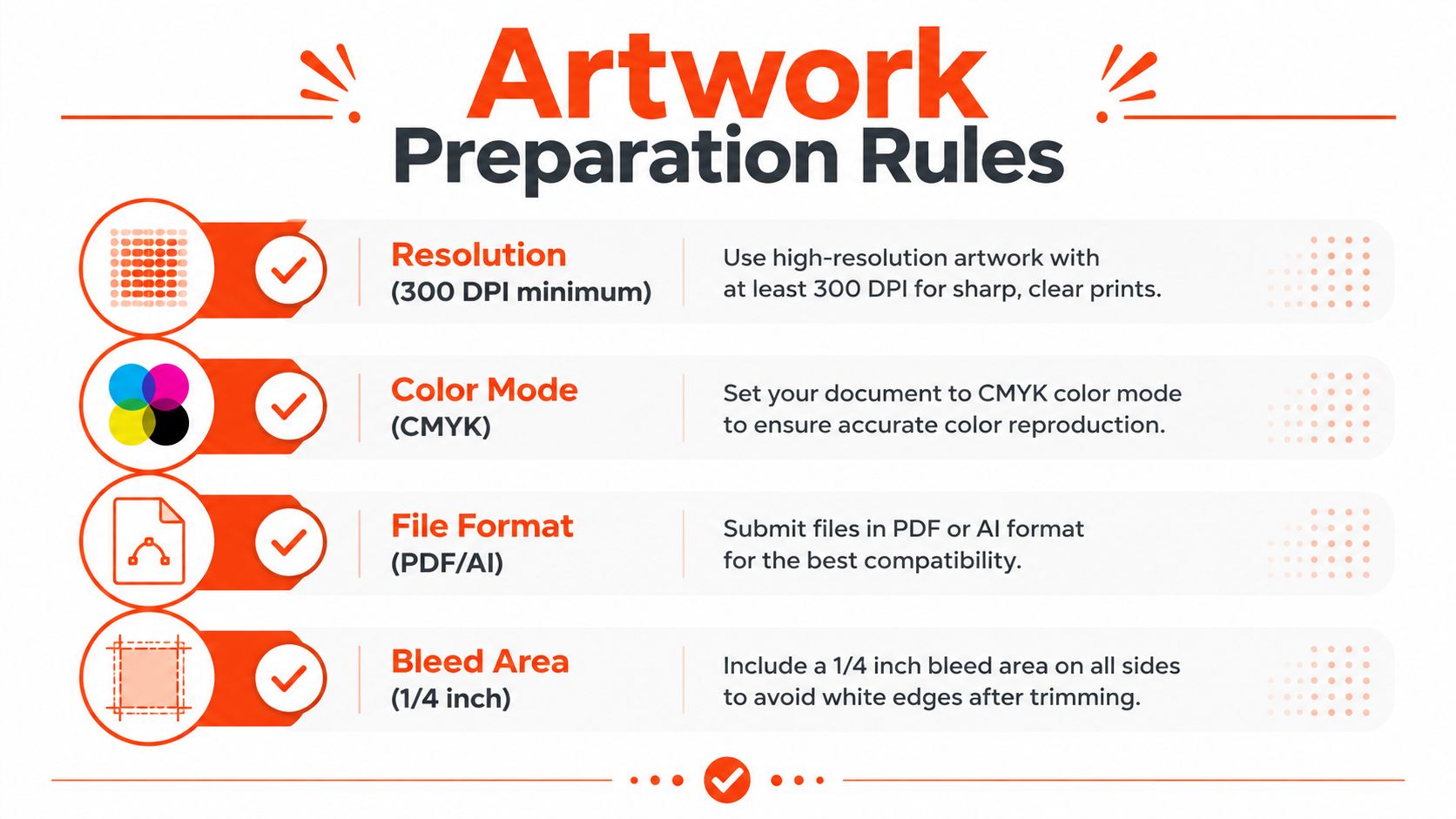
Most bad graphic heads don’t fail in printing, they fail in file prep. The safest workflow starts with round artwork, not square art that gets cropped later, because the drum itself is circular and the design needs to be built for that shape from the start. Independent drumhead-printing guidance recommends vector PDFs when possible and raster files at a minimum of 300 DPI at full print size, because a 26- to 28-inch head will expose softness, aliasing, and color shifts that don’t show up on a screen preview (art specs).
Color mode matters too. Print workflow needs CMYK, not RGB, because RGB can look bright on a monitor and still drift when converted for output. A file that looks punchy on a laptop often loses control in the press room if the colors were never built for print in the first place.
What usually breaks first
The first casualty is fine detail. Hairline strokes, tiny text, and thin outlines can disappear once the head is viewed from a stage, and they can also break down during print conversion. That’s why contrast should be checked before upload, and why bold marks usually outperform intricate textures when the goal is audience readability.
Layout around the edge matters as much as resolution. The artwork needs bleed at the hoop, and critical elements should stay away from the cut edge so the design doesn’t get squeezed into the visible rim. If the file includes a mic hole, that opening has to be built into the composition from the start, because a port added later can chop through text, faces, or logos that were never meant to be interrupted.
Rule of thumb: if the design only works when viewed at arm’s length, it’s too detailed for a bass drum head that has to read from across a venue.
Lighter artwork also tends to be more forgiving under changing temperatures, while darker images can be harder to print cleanly and may interact more noticeably with tuning stability outdoors. That doesn’t mean dark graphics are off-limits, it means they need stronger contrast, cleaner edges, and more disciplined layout. A design that ignores those limits usually ends up looking muddy from the crowd, even if it looked sharp in the file browser.
For buyers building their own art package, the safest reference point is the preparation workflow in how to prepare artwork for printing custom drum heads.
Choosing Between Ported and Unported Resonant Heads
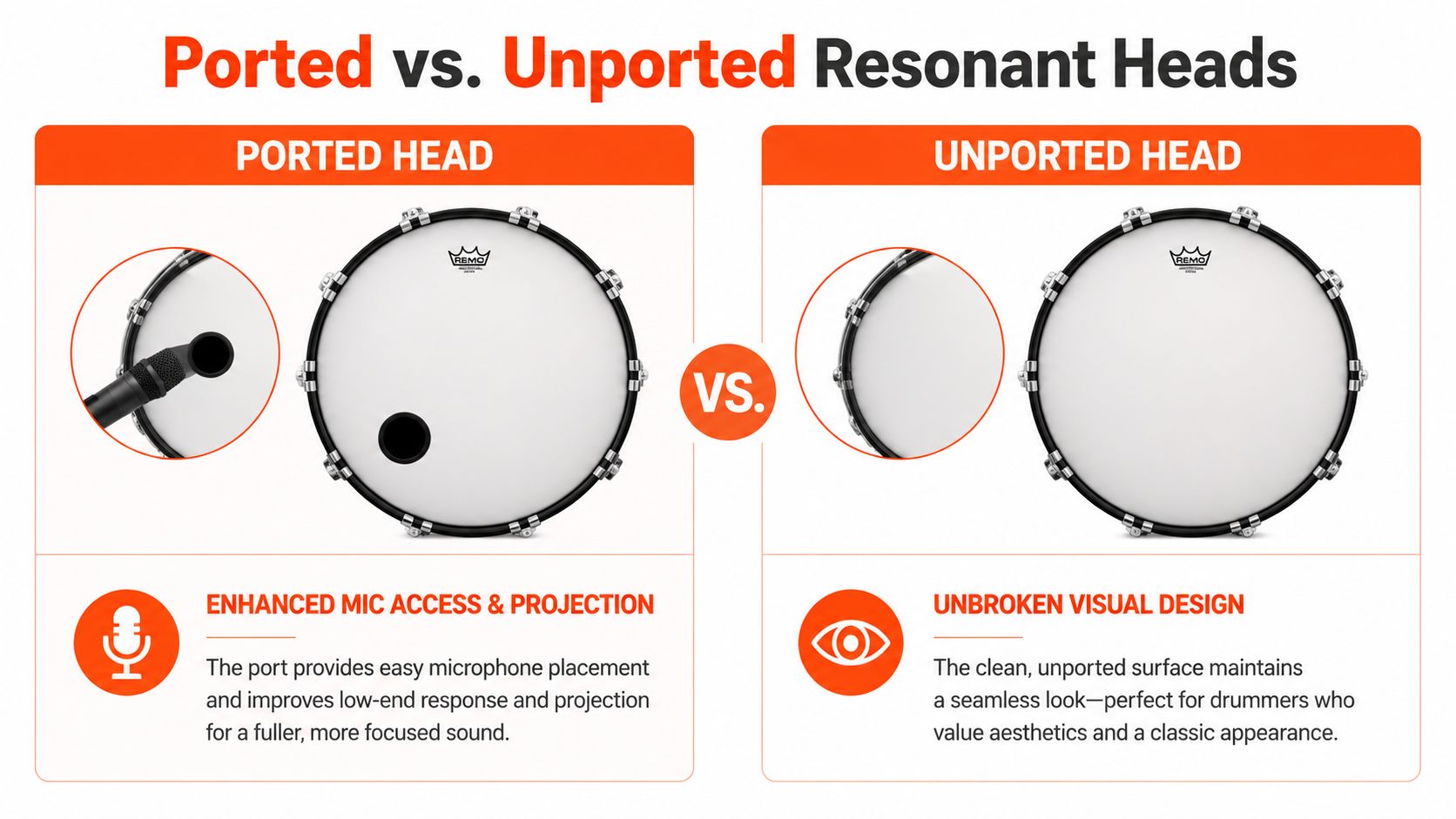
A kick drum head with a port hole does more than make room for a microphone. An unported resonant head usually gives you more uninterrupted membrane, so it can project with a fuller front-head response, while a ported head gives the engineer a direct opening for mic placement and takes some of the air pressure off the front of the drum (ported versus unported). That trade-off shows up every time a band has to decide whether the front of the kick should stay visually clean or work harder as a live sound tool.
A lot of players make that call based on appearance first, sound second. A sealed graphic head keeps the artwork intact, which matters when the drum head is acting like a front-facing sign from across the room. A ported version makes more sense when the kit needs repeatable mic access or a tighter live response, especially in smaller rooms where the bass drum is close-mic’d every night.
How the port changes the art
Port placement has to be treated as part of the layout, not a hardware add-on. How bass drum ports work comes down to a simple production fact, the hole affects where text can sit, how much negative space the design needs, and whether the composition still feels balanced after the cut. If the hole lands in the wrong spot, even a strong graphic can end up looking pinched or accidentally off-center.
A neutral drumhead guide also explains that resonant heads vibrate in response to the batter head being struck, which is why porting changes the response, not just the visibility (drumhead types). A sealed resonant head usually looks cleaner and reads as one continuous graphic, while a ported head is often the more practical choice for touring bands and worship teams that want dependable microphone placement.
The cleanest decision starts with the job the front of the kick has to do. If it is a branding panel, an unported design gives you the strongest uninterrupted face. If it is a working stage head, the hole may be worth the compromise, as long as the layout treats the port as a planned element instead of crowding it with art.
Design Strategies for Different Performance Environments
A design that looks perfect in a product mockup can fail in a room full of people. The fix is to design for the actual environment, not just the file preview. Existing guidance says raster artwork should be built at full print size at 300 DPI minimum and that tiny detail and hairline strokes often lose clarity, but it doesn’t quantify how those choices perform at 10 to 30 feet away, under motion blur, haze, LED wash, or low-light stage setups (stage visibility gap).
That leaves a real practical gap for buyers. Touring bands need bold marks that survive fast looks and bright rigs. Schools and marching programs often need branding that feels consistent across multiple kits. Worship teams usually want something tasteful that still reads from the room without overpowering the set.
What each environment rewards
- Touring setups reward strong silhouettes, simplified logos, and graphics that can survive bright wash and shifting camera angles.
- Studio-facing kits benefit from cleaner compositions that still look intentional on camera, especially when the head appears in video content.
- Small venues usually need the most restraint, because clutter gets lost fast and high contrast does more work than fine detail.
The common mistake is trying to cram every idea onto the head. A photo collage, small type, and multiple border effects can look rich on a screen and muddy onstage. Large shapes, a clear center, and enough open space around the port tend to read better because the audience is seeing a moving object in mixed light, not a desktop wallpaper.
If the logo can’t be read when the drummer is in motion, the design is doing too much for the space it has.
That’s also why color palette matters. High contrast is usually safer than subtle shading, and a simpler art direction usually ages better across different rooms. The best designs don’t try to prove how much detail can fit onto a bass drum head, they decide what the audience needs to recognize in a second.
Ordering Workflow from Measurement to Final Approval
The order should start with measurement, not artwork. Exact diameter matters because bass drums are used in multiple sizes, and the graphic has to fit the head cleanly without crowding the hoop or throwing off the composition. A straightforward measuring workflow keeps the art aligned to the shell instead of forcing the shell to adapt to a file that was built for the wrong size. The practical measurement process is covered in how to measure drum heads.
Once the size is known, the buyer has to decide where the head will live on the kit. Front resonant placement and batter placement are different jobs, and the chosen head construction should match the sound goal before any visual decisions get locked in. Custom-printed bass drum heads moved from niche novelty to a specialized category in the late 1990s and 2000s, and one long-running producer founded in 1997 says it has made more than 150,000 heads in over 25 years of history (company history), which says a lot about how normal this buying process has become.
The decisions that usually trip people up
- File format: Upload in the accepted format the system asks for, often JPG, PNG, SVG, or PDF, and keep the art clean before it reaches proofing.
- Mockup review: Check the browser proof carefully, because that’s where placement errors, cropping mistakes, and port conflicts show up.
- Use case: A school order, a tour backline order, and a single hobby kit may need the same size but very different approval priorities.
Volume pricing and worldwide shipping are useful for organizations, but the proof still matters more than the discount. A rushed approval can lock in a head that looks fine in the cart and wrong on the drum. The smartest buyers treat the proof like a final fit check, not a formality.
Maintenance and Durability Tips for Stage Use
A printed head stays sharp longer when load-in and load-out are handled like part of the product, not just part of the gig. Scratches usually happen when hardware brushes the printed face, so the safest habit is to keep stands, cases, and loose hardware away from the graphic during setup. Balanced tension also matters, because uneven pressure around the hoop can wear the head prematurely in the same places night after night.
Outdoor dates demand more caution. Heat and humidity can stress any drumhead, and the graphic surface looks worst when it’s being dragged through bad storage and rough handling at the same time. Cleaning should stay gentle, with soft, non-abrasive wiping that protects the film instead of polishing the artwork into haze.
For touring kits, a protective case is worth considering when the head has to survive repeated transport between vehicles, stages, and storage rooms. If the print looks scuffed, the hoop area is fraying, or the visual no longer reads cleanly under lights, replacement is usually the better choice than trying to stretch the life of a head that’s already lost its stage impact. More on that decision is outlined in when to replace a bass drum head.
Custom Bass Drum Head prints photo-quality heads for players who want the front of the kit to carry the design, not just the logo. Buyers can upload artwork, choose a size and port layout, and review the mockup in the browser before anything goes to print. Visit Custom Bass Drum Head to start a design that looks right under stage lights and holds up in real use.