
The wrong logo is already on the bass drum when the cases reach the venue. Tonight’s set belongs to one project, tomorrow’s to another, and the front head still carries yesterday’s identity. A touring drummer needs a branding system that changes as quickly as the call sheet, without carrying several fragile heads or risking a rushed head swap beside the loading dock.
A touring drummer logo swap bass drum decal solves that specific problem. The decal stays lightweight, lays flat for easy packing in a stick bag or case, and can be applied or removed without tools. Used carefully, clean-removing adhesive allows multiple swaps across a touring run without damaging the head.
The Touring Drummer’s Logo Dilemma
After a long run, a drummer can open the case at a club and find the bass drum still carrying yesterday’s logo. The wrong mark will not affect the music, but it shows up in venue photos, livestreams, and audience videos. The problem is sharper when consecutive nights involve different band names, solo work, teaching events, or support dates with separate visual identities.
Carrying several front heads solves the branding problem by creating a transport problem. Extra heads take case space and need protection from pressure, scratches, and bent hoops. A rushed resonant-head change in a parking lot or cramped backstage room also creates opportunities for misplaced hardware and poor alignment.
Why permanent branding can become inconvenient
A permanent printed head suits a run built around one logo. It becomes awkward when the drummer moves between projects, because every identity change requires replacing the full head instead of changing only the visible graphic.
A removable decal keeps the head installed and tuned while the front graphic changes for the next performance. One dependable setup can travel with several flat graphics rather than several complete head assemblies. For a closer comparison of the two approaches, see this guide to bass drum decals versus custom bass drum heads.
Road rule: The fastest logo system protects the head already on the kit and adds no hardware to a rushed changeover.
The decal as part of the touring kit
Treat the decal like a touring accessory, not loose paper in the bottom of a hardware case. Store each graphic flat in a rigid folder or protective envelope, with its backing sheet intact. Keep the folder in a cymbal bag or another compartment that will not be crushed by stands and cables. At the venue, confirm the project before opening the package, then reserve a quiet window before soundcheck for the swap.
The workflow also supports a wider visual identity. A bass drum graphic should agree with the band’s shirts, posters, and other audience-facing material. Drummers developing that system can use these winning band merchandise strategies when deciding how the logo should appear across the kit and merchandise.
Fit still matters. Order the decal for a smooth, glossy head, since textured or coated surfaces can trap air, reduce adhesion, and leave visible edges. Low-tack removable decals may use 6 mil material with a matte laminate, while die-cut adhesive vinyl may use 2.75 mil with matte or gloss finishes. Check the decal spec sheet for thickness and finish, then confirm it is rated for smooth, glossy heads before packing it flat for the run.
Pack the 6 mil matte-laminate decal in a rigid A3 folder in the cymbal bag, with the 2.75 mil vinyl options separated by their backing sheets. That keeps each design flat between gigs and makes the correct graphic ready for a tool-free swap at soundcheck.
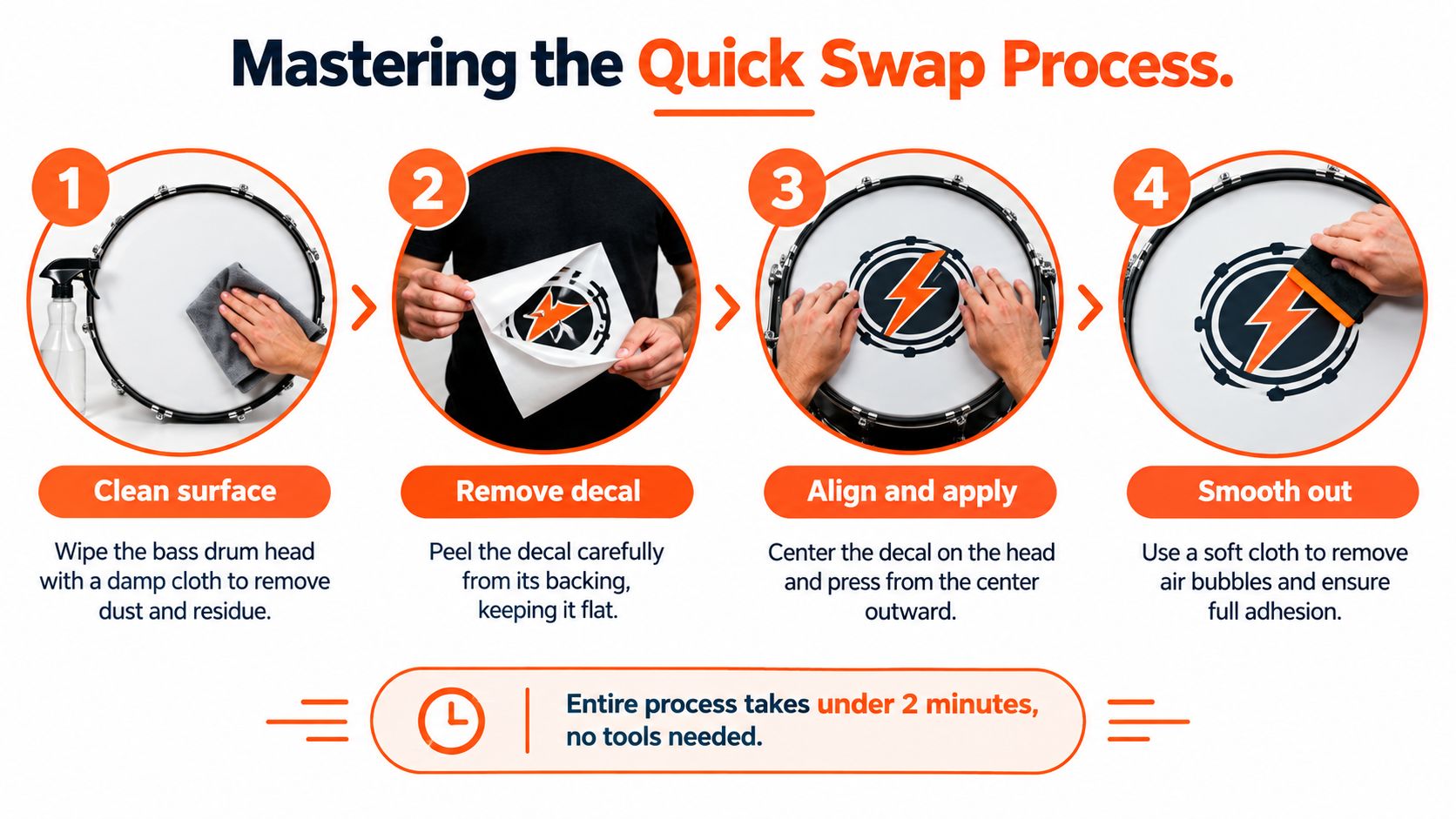
Mastering the Quick Swap Process
At a rushed load-in, a dry, dusty head can grab the adhesive before the logo is centered. A wet application gives you time to position the graphic cleanly and avoid a crooked front head.
Prepare before peeling
Keep a lint-free cloth, a soft squeegee, and a small spray bottle within reach. Mix a very mild positioning solution, using 2 drops of dish soap in 16 or more ounces of water. Clean the head, keep the surface lightly wet while positioning, smooth from the center outward, and allow the decal to dry fully before playing.
-
Clean the head. Remove dust, fingerprints, oil, and residue from the previous graphic. Use a lint-free cloth rather than a rough towel that could leave fibers beneath the film.
-
Mist the surface lightly. The head should let the decal slide without becoming flooded. Excess liquid can run toward the hoop and make the edges harder to seal.
-
Peel and position. Lift the decal from its backing while keeping it flat. Set the center first, then check the logo against the hoop, floor, and microphone port.
-
Squeegee outward. Push water and air from the center toward the edges with even pressure. Finish with a soft cloth if needed. Aggressive rubbing can mark the graphic.
Choose the application window
Apply the decal the night before whenever the schedule is tight. If that is not possible, use a morning installation only when the kit will sit long enough before playing. Load-in application works when the drying window is protected, but vibration can shift a decal that has not settled.
For a morning swap, keep the backing sheet labeled by project in the stick bag. The next change becomes a dry peel-and-place job, with no need to search through cases or prepare another graphic at the venue. Keep the installed head untouched until the surface has dried for 24 to 48 hours.
Removal should be slow and controlled. Lift one corner, pull the material back over itself instead of straight upward, and stop if the head begins to flex. Rushing the peel can crease the edges or transfer adhesive to the head. Review this guide to bass drum decal application and removal before the first tour changeover.
Preserving Your Decals Between Gigs
The decal usually takes its first road hit during teardown. It gets peeled off beside a flight case, set on a dirty riser, or pushed into a pocket with cables. That handling can leave grit on the adhesive, curl an edge, or crease the artwork before the next load-in.
Return the decal to its original backing sheet immediately after removal. Keep it flat, and prevent the adhesive from touching cardboard, fabric, or another graphic. If the backing sheet is missing, use a clean, smooth, non-stick surface that supports the full decal without stretching it.
A road-ready storage routine
Build the storage step into teardown rather than leaving it for the hotel or bus. Use this routine:
- Label each design: Mark the backing sheet or protective sleeve with the project name. Low light and a rushed changeover are poor conditions for guessing.
- Keep graphics flat: Put decals in a rigid folder or protective envelope inside the gear bag. A soft pocket leaves them exposed to bends and pressure.
- Separate used and unused pieces: A recently removed decal can carry dust or residue. Keep it away from a clean graphic.
- Inspect before reapplying: Check for curled edges, particles, creases, and weak grip before committing to the next show.
Treat the adhesive as reusable, not permanent. Removable static-cling-style material can move between heads, but repeated handling and poor storage reduce its grip. Plan for multiple uses within a season, rather than indefinite reuse. A logo may still look sharp after scraping against cases while its edges no longer hold reliably.
Keep one spare protective sleeve and a clean cloth with the decals. That small kit prevents a last-minute graphic from riding loose in a hardware case.
Keep the head consistent
Between swaps, wipe the head with a lint-free cloth and mild cleaning solution. Let the surface dry and become free of residue before the next application. Old adhesive, dust, and road grime create uneven contact, visible bumps, and edges that can lift under vibration.
Protect the stored artwork from sunlight, moisture, and scuffing. A flat sleeve preserves clean margins, while careful handling keeps the logo readable from the audience. Follow this care routine for your drum set and graphics to keep the head and decals presentable through repeated changeovers.
When to Upgrade to a Custom Printed Head
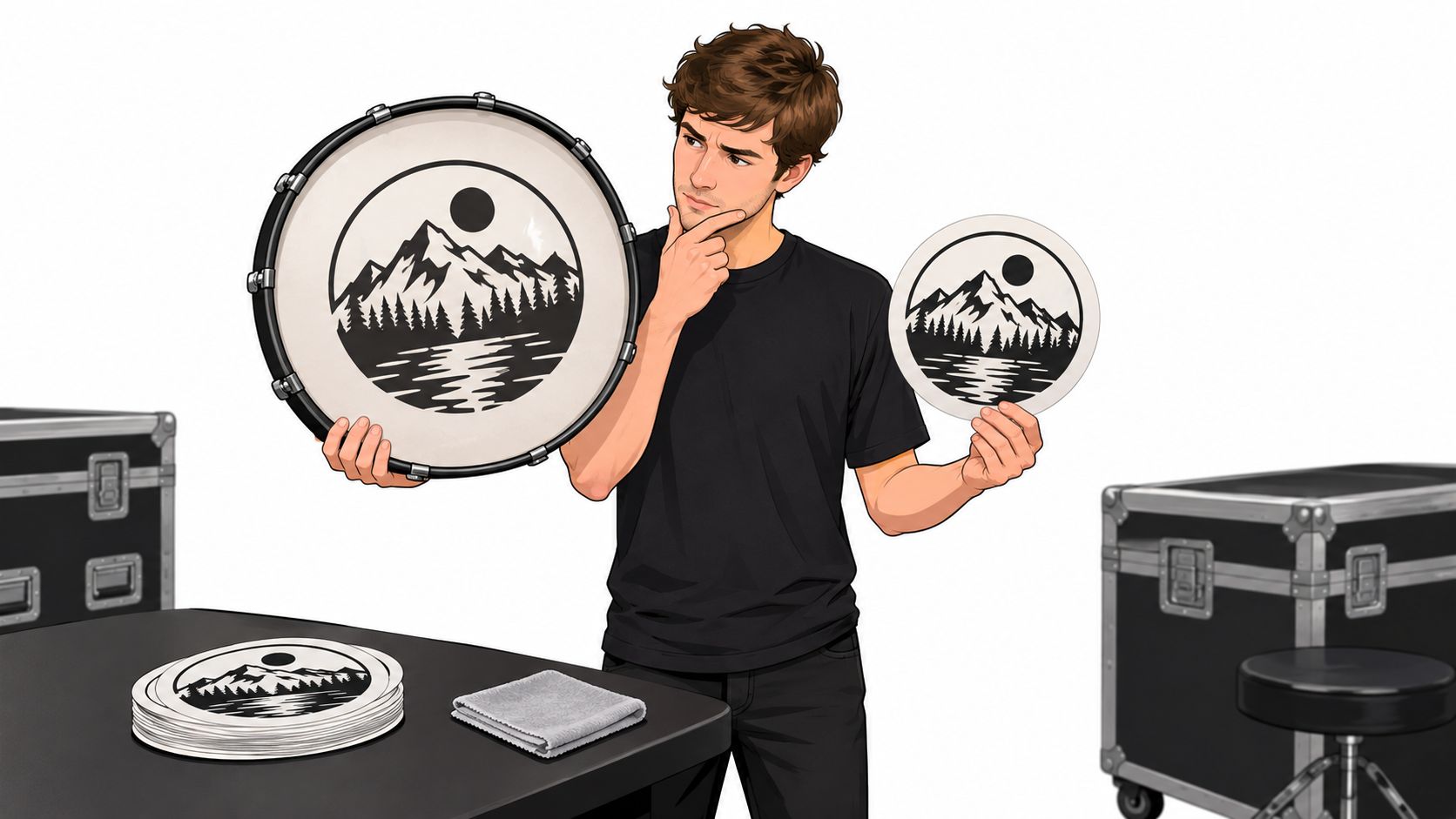
At load-in, a removable decal earns its space when several projects share one kit or the band identity may change between dates. A custom printed bass drum head makes more sense when one logo will stay in service through a settled run, a residency, or a season built around the same visual identity.
The difference changes the nightly workload. A decal sits on top of an installed head, so the crew must peel, clean, align, protect, and store it after each changeover. A printed head carries the artwork on the head itself, removing those handling steps and the risk of an edge lifting after a rushed application.
Match the solution to the schedule
| Touring situation | More suitable approach | Reason |
|---|---|---|
| Several projects share one kit | Removable decal | The front graphic can change while the head stays installed |
| One band owns the visual identity for a run | Custom printed head | The artwork stays fixed and needs no nightly handling |
| Frequent head changes are already planned | Printed head | Port placement and layout can be approved as one finished design |
| Emergency branding changes | Decal | A flat graphic packs easily and doesn’t require hardware |
A printed head gives the designer tighter control over gradients, fine detail, lettering, and the relationship between the logo and microphone opening. The port can sit left, right, high, low, or off-center. Common options include 4, 5, and 6 inch diameters, with 4 inches described as the most common choice because it accommodates a microphone without dominating the artwork. Port placement guidance for custom bass drum heads explains the layout considerations. Plan the port 1.5 to 3 inches from the hoop edge and reserve a clear zone around 4, 5, and 6 inch options so the logo is not cut.
Use a printed head for commitment
If the same logo will run 10+ consecutive dates without a project change, approve one printed head with port placement locked in the browser mockup and leave the decal kit at home. Keep the removable system for shared backlines, short runs, or bookings where the front graphic may need to change before the next load-in.
Custom Bass Drum Head lets buyers upload logos, photos, gradients, illustrations, or fine line artwork and approve a browser mockup before production. The service lists bass drum head sizes from 16 inches through 28 inches, with the mockup used to check artwork, size, and port placement before committing. The custom head ordering workflow outlines that process.
For a band building a consistent public identity, this custom drum head branding guide explains how the front head can function as a central visual asset instead of a temporary label.
Designing Graphics That Look Great On Stage
A logo can look sharp on a laptop and vanish under wash lighting during load-in. From the back of the room, the audience sees the bass drum through distance, camera exposure, cymbals, risers, and stage clutter. Design for that view first. The band name or symbol should read before anyone can inspect fine detail.
Use strong contrast, broad shapes, clear lettering, and generous negative space. Thin lines and crowded illustrations lose definition quickly when the front head is partly blocked or photographed from the floor. That matters for a touring decal, and it matters even more when the same artwork stays on a printed head for an extended run.
Build around the stage view
Keep the port 1.5 to 3 inches from the hoop and treat anything under 3.5 inches as an air-release port, leaving clear space around letters and central symbols. A port through an eye, face, letter, or central mark makes a clean design appear damaged. Shift the artwork before production rather than trying to hide the opening later.
Check the composition at the full 16 to 28 inch head diameter, then review a reduced preview that represents the audience viewpoint. Test the logo through a phone camera under wash lighting. Look for weak contrast, crowded edges, and negative space that disappears when the lower head is partly hidden by a riser. Run this check before exporting the file, not after the decal or head arrives.
Camera test: If the logo only works at arm’s length, it is not finished for a bass drum.
Prepare artwork for printing
Use vector artwork for logos and lettering so edges stay clean at full size. Raster images suit photographs and textured artwork. Accepted formats can include JPG, PNG, SVG, and PDF, and 300 DPI is a useful print-ready benchmark for drum graphics. Artwork preparation guidance explains how file type affects the finished result.
Keep the visual system consistent across the front head, merchandise, social graphics, and stage materials. A touring drummer can then swap decals without losing the band’s identity, while a custom printed head gives a settled design a permanent finish. Before uploading, confirm the head diameter, port location, logo margins, contrast, and camera-test result in the reduced preview.
Use this custom bass drum head logo design guide to refine the artwork before production.
Custom Bass Drum Head offers custom-printed bass drum heads and removable logo decals. Touring drummers can choose a swap system for changing runs or a permanent front-head design, then upload artwork and review the browser mockup at Custom Bass Drum Head.