
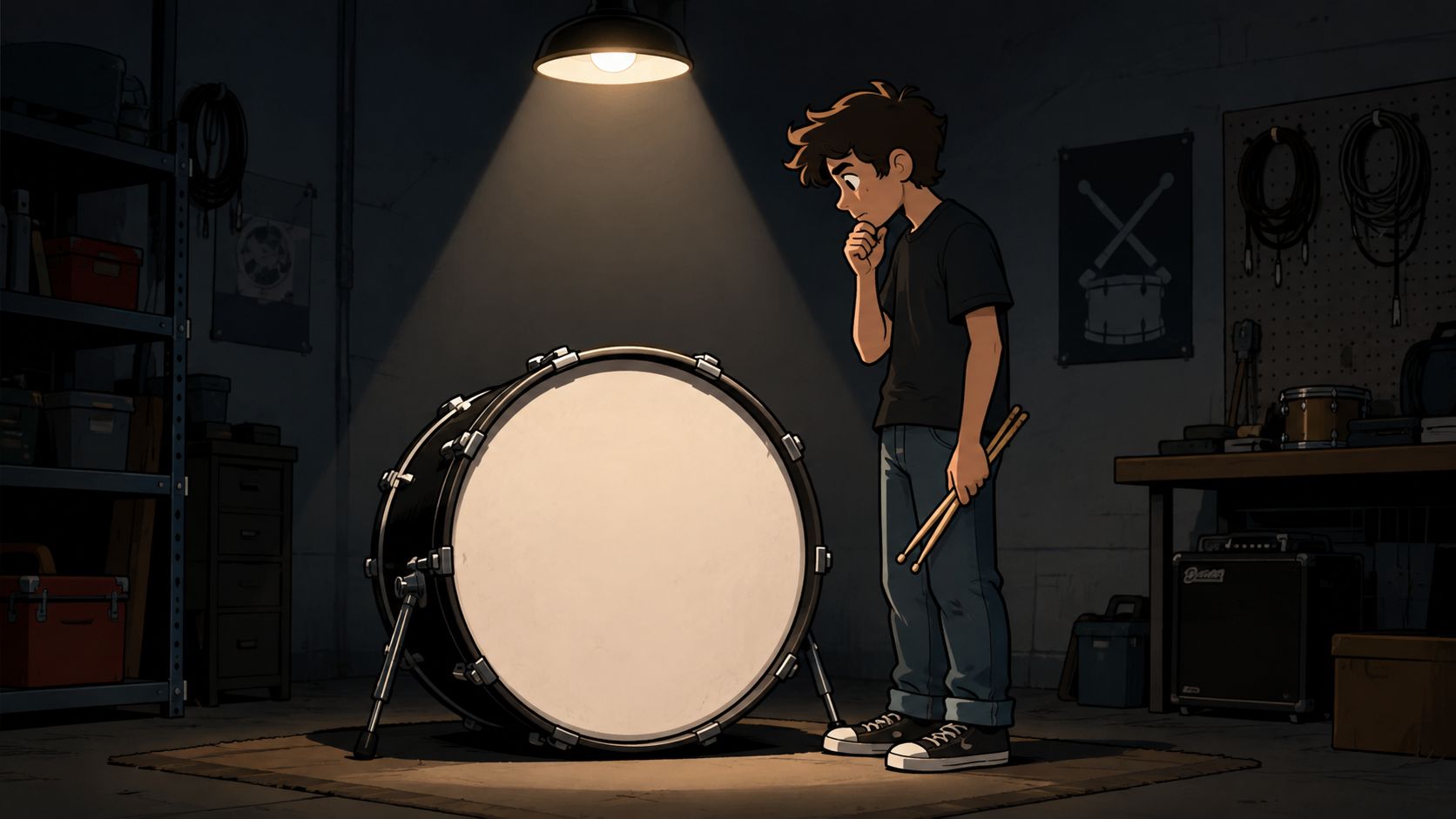
The first real decision usually happens in a rehearsal room, not at a design desk. Someone stands in front of a blank kick drum, imagines the logo under stage lights, and realizes the head is doing two jobs at once, carrying the band’s identity and surviving every camera angle that lands on the kit.
That’s why a custom bass drum head logo is never just decoration. It has to read from the back row, hold up on a curved surface, and still look like it belongs to the drum when the mic port is cut and the hardware sits in the way.
Picture the Head Before You Pick the Logo
A band’s kick drum often becomes the one object everyone sees before the first song even starts. That’s true for a club set, a school showcase, a worship stage, or a studio session where the drum lives in front of a camera. The blank head is a billboard, but it’s also part of the instrument, so the logo choice should fit how the kit shows up in the room.
Start with the kind of identity you need
Some buyers already know the answer. A band wants its mark front and center, a school wants a crest that looks official, and a worship team often needs something calm, legible, and clean. A memorial design usually needs restraint more than flash, while sponsor lockups need enough structure to keep every mark readable without turning the head into a crowded poster.
The easiest way to narrow the choice is to ask what the audience should recognize in two seconds. If the drum is part of your merch photography, the logo should reinforce the brand. If it’s for a recital or a church platform, the artwork should support the room instead of overpowering it.
The gallery at Custom Bass Drum Head examples is useful as a reference point because it shows how different kinds of artwork behave once they’re wrapped around a real head.
Practical rule: if the logo only makes sense when someone is standing inches away, it probably needs another pass before it goes on a bass drum.
Match the artwork to the use case
A tour logo can be louder than a studio mark. A school crest can lean formal. A gigging cover band can go with something bold and simple that photographs cleanly in low light. The point isn’t to pick the most impressive artwork, it’s to pick the artwork that fits the setting where the drum will be seen most often.
A lot of buyers get stuck because they start by asking what looks cool instead of what looks right on a circular head. The better question is what kind of impression the kit should make from across the room, and then what version of the logo still works once it’s cropped to the drum’s shape.
For inspiration, band logo design ideas can help a buyer think in terms of silhouette, contrast, and brand fit instead of just file type. Once that direction is clear, the technical prep gets much easier.
Designing a Logo That Reads From the Back Row
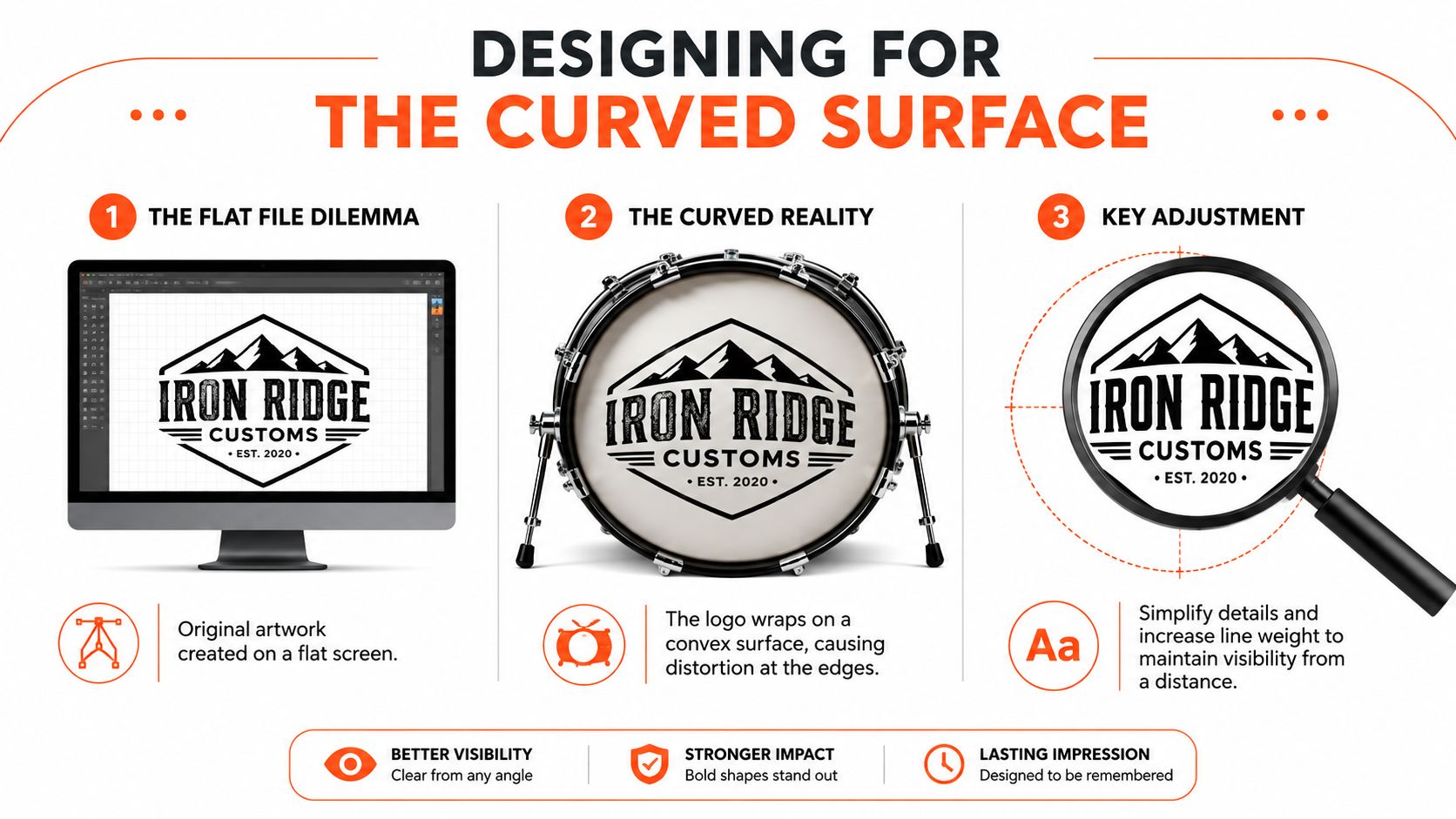
A logo that looks sharp on a laptop can fall apart the moment it lands on a drum head. The curve changes the edges, the hardware interrupts the view, and the audience is never close enough to admire tiny details. For live use, the design has to survive distance first and close inspection second.
Simplify before you upload
Bold shapes beat delicate linework almost every time on a kick drum. Thin strokes, tiny subtext, and subtle contrast can disappear once the artwork wraps around the head or sits near the shell edge. A design that reads instantly at a glance usually performs better than a detailed one that only looks impressive on screen.
That’s not a taste issue, it’s a visibility issue. If the logo can’t be understood when it’s shrunk in your browser mockup, it won’t improve on stage. The strongest custom bass drum head logo usually keeps one main idea, one clear mark, and enough empty space for the eye to land.
A drum head is not a flyer. Anything that depends on close reading is a risk once lights, distance, and motion enter the picture.
Use contrast as the first design filter
High contrast does most of the heavy lifting on a drum head. Dark on light, light on dark, or a limited color palette with clear separation will usually outperform a busy multicolor composition. Gradient effects can work, but only when the shapes behind them are still obvious from across the room.
A quick test helps. Squint at the mockup, then step back from the screen. If the logo turns into a vague blur, trim detail until the main shape survives. That usually means reducing fine outlines, tightening the number of colors, and making the primary text larger than the designer originally wanted.
The good news is that a simplified logo doesn’t have to feel plain. A strong mark, clean spacing, and a centered layout can look more intentional than a crowded graphic that tries to say too much.
For more layout examples, custom bass drum head graphics shows how artwork choices affect the final visual impression on a head.
Preparing Artwork Files That Print Cleanly
A file can look finished on a laptop and still fail at print. That happens a lot with bass drum art, because the head is curved, the edge is wrapped, and the mic port can cut straight through a logo if the layout was never built for the drum in the first place. The cleanest orders start with the print file, not the mockup.
| File Prep Checklist at a Glance | Target | Why It Matters |
|---|---|---|
| Vector artwork | PDF or SVG | Keeps edges sharp at any drum size |
| Raster artwork | 300 DPI at final size | Prevents softness and jagged detail |
| Color mode | CMYK | Reduces proofing surprises from RGB conversion |
| Bleed | At least 3 mm, or 0.125 inch | Gives the print edge room for trimming |
| Safe zone | 10 to 20 mm inside the finished edge | Keeps critical art away from cuts and wrap distortion |
| Port clearance | Clear the mic hole area | Avoids losing logos or text to the cutout |
Pick the right file before anything else
If the logo began as vector art, keep it that way. PDF and SVG preserve sharp edges and scale cleanly, which is the safest path for a drum head that may be printed larger than the original file was ever viewed on screen. If the only usable art is a photo or flattened image, prepare it at 300 DPI at the final print size so the detail survives on the head, not just in a browser preview custom drum head design guidance.
Color mode matters too. Files set in CMYK are less likely to shift during proofing than artwork left in RGB, especially when a logo depends on a specific dark, bright, or skin-tone-heavy palette. The goal is not to make the file fancy, it is to keep the proof close to the finished print so the approval stage stays predictable.
Measure the head like a real object, not a blank page
A bass drum head has a rim, hardware interruptions, and often a port hole, so the layout has to respect the physical shape. Keep critical elements about 10 to 20 mm inside the finished edge, and give the artwork at least 3 mm (0.125 inch) bleed so the print can finish cleanly personalized drum skin guidance. Large front-head logos usually sit comfortably at about 30 to 50% of the drum diameter, which leaves enough room to read the mark without crowding the head custom bass drum head graphics.
That extra space matters more on a curved surface than on a flat proof. The edge can distort fine detail, and the trim line does not always leave much mercy for text that sits too close to the perimeter. A logo that looks balanced in a screen mockup can feel cramped once it wraps the actual head.
Protect the parts that fail first
Tiny text, hairline strokes, and logos parked near the mic cutout are the first things to go wrong. A port hole can remove part of a letter, a symbol, or an accent line, and the curved surface can make thin outlines look weaker than they did in the file. The safe move is to build the artwork so the important shapes still work even if the edge takes a little bite out of the layout.
A proper preflight check covers bleed, safe zones, and port clearance before approval. If the original artwork was built for social media or a poster, it usually needs adjustment before it will print well on a drum head. A screen-perfect file can still need real-world changes, because the drum is a physical object with limits that a flat preview does not show.
Front Head vs Batter Head and Where the Mic Port Goes
Most buyers want the visible side of the drum, and that usually means the front resonant head. It’s the face the audience sees, the side most likely to carry the logo, and the place where a strong design can do real branding work. The batter head is more functional and gets struck, so it usually stays plain or carries only light branding if anything at all.
Choose the head based on what needs to be seen
A front resonant head is the natural home for a custom bass drum head logo because its job is visibility. That’s the side that faces the room, the camera, and the merch photo. A batter head makes sense only when a player wants subtle branding, a matched pair, or a special application where the inside look matters.
The decision becomes simpler when the drum’s role is clear. If the kit is part of a video shoot, live show, or school performance, the resonant head usually earns the artwork. If the drum is being used in a setting where the audience never sees the front, the visual payoff is smaller, so the design can be less elaborate.
Place the port so it helps the art instead of fighting it
Mic port placement changes more than airflow and microphone access. It also changes the visual balance of the logo. A left, right, high, low, or off-center cut can preserve the mark or break it apart depending on where the main elements sit.
That’s why port location should be chosen with the artwork, not after it. A logo that leans low on the head can get clipped by a lower port. A centered badge can look cleaner with a smaller, offset hole. The right answer depends on how the drum is miked, how the drummer plays the pedal, and where the camera usually points.
For placement details that interact with sound and access, microphone placement guidance is worth checking before final approval.
The smartest port choice is the one that keeps the logo whole and still gives the engineer room to work.
Printed Head vs Decal and What Survives the Road
A decal can seem like the easier move because it lets someone start with a stock head and add graphics later. The trouble is that decal-based solutions depend on careful application, and the usual tutorials spend a lot of time on transfer paper, smoothing, and pushing out air bubbles. That tells the whole story, the process works, but it’s still manually fragile.
Why printed heads age better under real use
Direct-to-head printing turns the artwork into part of the drum head itself rather than something sitting on top of it. That matters because there’s no added thickness or stiffness from a sticker or film, and the head still tunes and plays like a stock manufacturer head product explanation. For players who care about feel, that difference is not cosmetic, it’s part of the buying decision.
A printed surface also avoids the edge issues that decals bring with them. There’s no lifted corner to catch, no bubble to flatten later, and no film edge to peel when the drum gets moved between gigs. On a road case schedule, fewer failure points usually matter more than the initial convenience of a quick transfer.
What decals still do well, and where they stop
A decal can work for a temporary event, a low-stakes setup, or a buyer who wants to test a design before committing to a full custom head. It’s a common path because it’s familiar and cheap to understand. The downside is that it remains a surface treatment, so durability depends on the condition of the existing head and the care taken during application.
A printed head is the cleaner choice when the drum is meant to represent a band, school, worship team, or touring rig over time. Screen-printed versus direct-printed head differences helps frame that trade-off around longevity and surface behavior rather than just appearance.
Mockup Approval, Turnaround, and Ordering Without Surprises
A bass drum head has to be judged on the drum, not on a flat screen. The mockup stage is where centering, port placement, edge bleed, and the readability gap between a browser proof and stage distance either hold up or get corrected before print. If the logo sits too close to a cutout or the edge feels crowded in the preview, that problem usually gets worse once the head is stretched over the shell.
Use the proof like a production check, not a preview
The proof should answer a few direct questions. Is the logo centered the way the player expects on a curved head? Does the mic port cut through text, outlines, or any part of the mark that needs to stay clean? Does the color still read from the back row, and is there enough space at the edge once the head is shown at full size?
Small mistakes show up fast here. Cropped text, artwork that sits off center, and details pushed too close to the rim are easier to fix before print than after the head is finished. If the mockup already feels busy, the drum will usually feel busier.
A browser proof also helps separate what looks good on a monitor from what survives under lights. Thin type, fine lines, and busy textures can look acceptable in the file but disappear once the head is seen across a room. On a curved, hardware-interrupted surface, clarity beats detail.
Order with the actual use case in mind
Lead time has to match the gig. A school event, worship service, studio date, or tour stop leaves less room for back-and-forth, so the order should already have the size, head type, shipping details, and port position settled before approval. If the drum is going straight into a case, the layout should be checked with that real use in mind, not just with a perfect on-screen proof.
A custom drum head from Custom Bass Drum Head can be ordered through the browser workflow, which lets the buyer upload art, review the mockup, and approve the final look before print. For buyers who want the order page itself, the ordering page is the direct place to start.
Your Pre-Order Checklist and Next Step
Before ordering, the buyer should have eight things settled, the logo direction, the simplification pass, the file format, the print resolution, the bleed and safe zone, the head type and size, the port position, and the mockup approval. If any one of those is fuzzy, the final head usually shows it.
The safest custom bass drum head logo is the one that was measured on a real drum, tested on a proof, and trimmed for readability before print. A clean file and a clear layout beat a crowded concept every time.
Custom Bass Drum Head makes it straightforward to turn a band logo, school crest, or custom artwork into a printed drum head that fits the kit you play. If the design needs a final check, or if the artwork is ready and just needs to be placed on the drum, visit Custom Bass Drum Head and start the order in the browser.