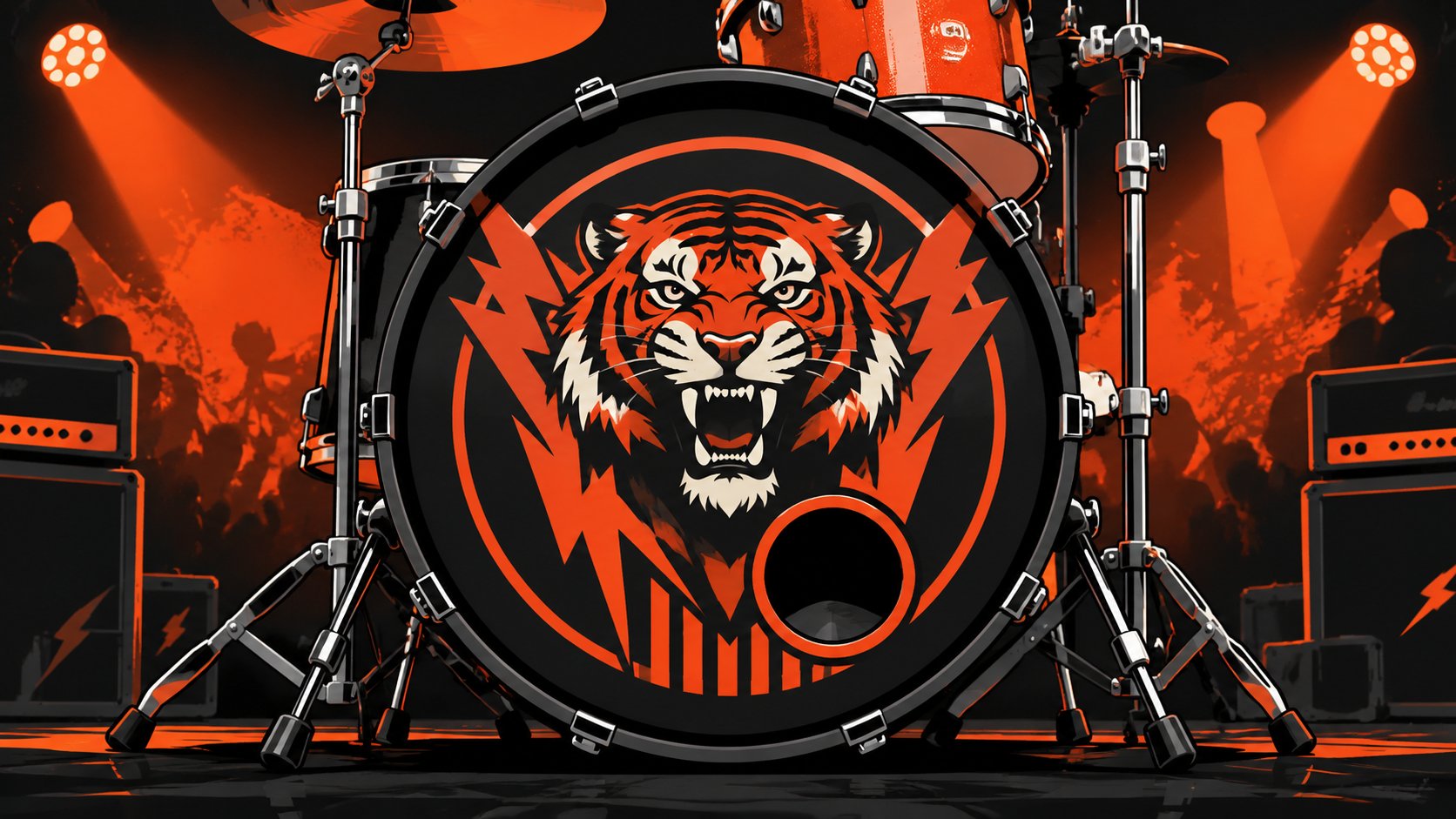
A lot of bands hit the same point at once. The songs are tight, the logo finally looks professional, the live show feels dialed in, and then the front of the kick still looks blank. That blank circle becomes hard to ignore once photos start coming back from gigs.
A custom head fixes that, but only when the artwork is built for practical application. A design can look clean on a laptop and still print soft, hide behind a mic port, or disappear under stage lighting. The difference usually isn’t taste. It’s file prep, scale, contrast, and proofing.
Your Bass Drum Is Your Band’s Billboard
When the house lights come up, the bass drum is often the biggest uninterrupted branding space on stage. It sits front and center, shows up in promo photos, and reads from the back of the room in a way a small rack tom graphic never will. For bands, teachers, schools, worship teams, and solo artists, that’s why custom bass drum head graphics matter. They don’t just decorate the kit. They help the whole setup look intentional.

Why a printed head works better than a quick fix
The old shortcut was a sticker, decal, or some kind of applied film. That approach looked acceptable from a distance, but it came with familiar problems. Air bubbles, edge lift, limited color handling, and a finish that could look temporary after a run of gigs.
Professional direct-to-head printing avoids that entire category of problems because the artwork integrates with the drum head film rather than sitting on top of it as a separate layer, which helps prevent bubbles, peeling edges, and touring wear issues, as described on the custom order product page.
A good front head should look like it belongs to the drum, not like something added at the last minute.
What the audience actually sees
A strong design does three jobs at once:
- It identifies the act: A readable logo gives people something to remember after the set.
- It ties the stage look together: Matching the head to posters, shirts, and social artwork makes the band look organized.
- It makes photos work harder: Live shots with a clear bass drum graphic feel finished before any editing starts.
That matters even more for buyers who aren’t touring clubs every weekend. A drum teacher can use a head with a studio name. A worship team can keep the look clean and unified. A school program can reinforce mascot, colors, or event identity without changing the whole kit.
What works on stage
The best custom bass drum head graphics usually aren’t the busiest ones. They read fast. They use shape and contrast well. They leave enough breathing room around the logo or artwork so the drum doesn’t feel cramped once hardware, lights, and port placement enter the picture.
That practical mindset is what separates a cool idea from a stage-ready design.
Nailing the Concept Before You Open Photoshop
Weak custom bass drum head graphics usually fail at the concept stage, not in printing. I see the same problem over and over. A band tries to fit an album cover, three social handles, a slogan, and a textured background into one circle, then wonders why the head looks muddy from twenty feet away.
Start with the actual use case. The audience is not standing two feet from your kick drum with a phone in hand. They are seeing it between cymbal stands, under colored lights, from the back of the room, and often for a few seconds at a time. If the concept does not read in that environment, better file prep will not save it later.
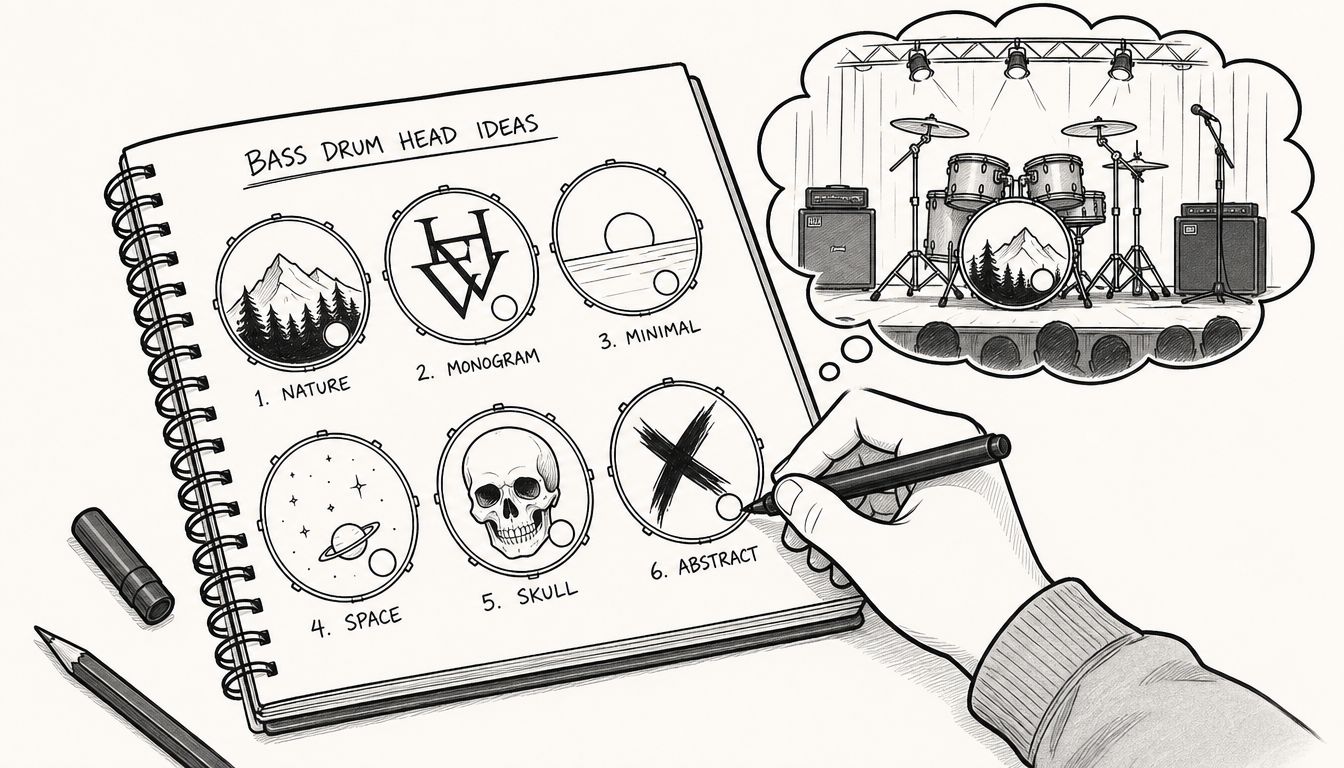
Start with audience distance, not screen size
A bass drum head has one job on stage. It needs to read fast.
That changes how you judge the design. Do not zoom in to inspect tiny details first. Shrink the mockup down, step back from the screen, or look at it on your phone from arm’s length. If the band name or main mark disappears, the concept needs work before anyone opens the final art file.
A few directions usually hold up well in real venues:
- Touring band logo: Large mark, short name, strong contrast, little clutter.
- Worship or church setup: Clean type, restrained graphic element, generous open space.
- School or marching use: Mascot or emblem with bold shapes that still reads from the stands.
- Session or solo artist rig: Name, monogram, or icon that looks polished without feeling fussy.
Detailed artwork is not automatically wrong. It just needs to be handled carefully. A skull illustration with ten layers of shading can look great online and turn into a gray blob on stage. A simpler two-color version often hits harder in the room.
Build around mood and lighting
Stage lighting changes the design more than bands expect. Blue and magenta washes can flatten dark artwork. Thin white lines can flare under direct spots. Low-contrast color combinations that look tasteful on a laptop can disappear once the head is mounted and surrounded by chrome hardware.
The safer approach is to choose one clear focal point, then support it with color and shape. Strong silhouettes, readable type, and clean negative space usually survive bad lighting, fast load-ins, and less-than-perfect stage angles.
Bands still dialing in their visual identity should sort that out before production starts. This guide to band logo design for drummers and live branding helps tighten the concept before the file goes to print.
Practical rule: If the band name needs explanation in a phone mockup, simplify it before it reaches the printer.
Pick one hero element
The best heads commit to one main idea. That might be a logo, a symbol, a wordmark, or one illustration. Everything else should support that choice instead of competing with it.
Use this quick concept check before you build the final layout:
| Design question | Good sign | Warning sign |
|---|---|---|
| What should the eye hit first? | One clear focal point | Several competing elements |
| Can the text be read fast? | Short, bold, clear | Thin, curved, crowded |
| Will it still work on stage? | Strong contrast and shape | Relies on tiny details |
A drum head works more like a badge than a poster. Get that part right first, and the technical setup in the next steps has something solid to work with.
Preparing Your Artwork File for Flawless Printing
File preparation is often the downfall of otherwise solid designs. The concept is good, the logo is approved, and then the uploaded file is too small, built in the wrong color mode, or saved in a format that falls apart when enlarged. Sharp print starts with the file, not the printer.
Resolution that holds up at full size
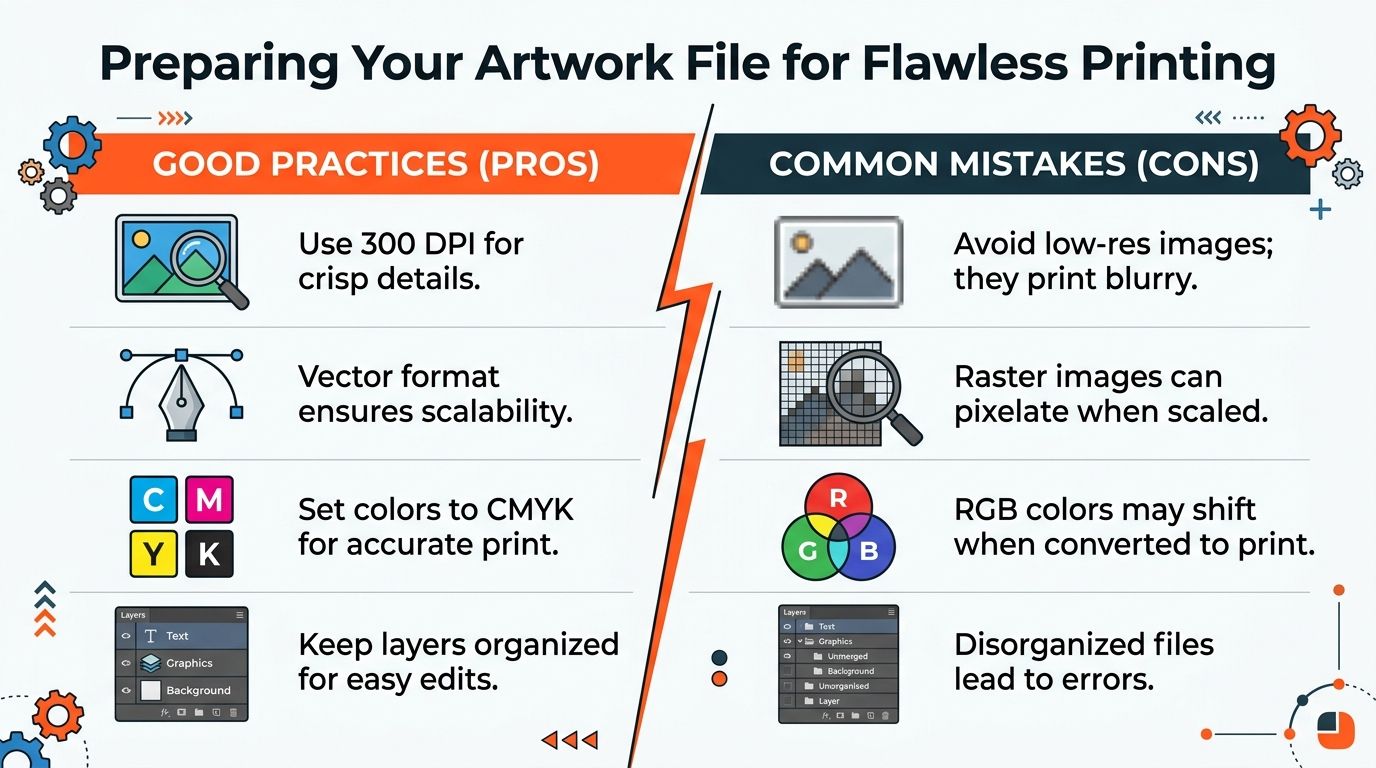
For raster artwork, the standard is simple but strict. The file should be prepared at full print size with a minimum resolution of 300 DPI, and a 24-inch design needs to be built at 24 inches rather than scaled up from something smaller. The preferred color mode is CMYK so screen colors don’t shift unexpectedly in print, as outlined in this guide to preparing artwork for custom bass drum head printing.
That matters because enlarging a small web image doesn’t create detail. It only makes the missing detail more obvious. A logo pulled from social media might look fine at thumbnail size and still print soft around every edge.
Vector first when possible
If the artwork is logo-based, vector is usually the safest route. Vector files keep edges clean because they scale mathematically instead of relying on fixed pixels. That’s especially useful for typography, line art, and bold shapes.
Raster can still work well for photography, textured illustration, or painterly artwork. It just has to be built correctly from the start.
A practical split looks like this:
- Use vector for: Logos, icons, type-heavy designs, clean geometric art
- Use raster for: Photos, detailed textures, scanned illustration, complex shading
- Use either with care for: Mixed artwork that combines image backgrounds and logo overlays
For buyers weighing production methods, this comparison of screen printed drum heads vs direct printed drum heads helps explain why file quality and print method need to match the final goal.
Color mode and file hygiene
RGB is built for screens. Print is not a screen. That’s why CMYK matters. It gives a more reliable preview of how ink-based output will appear on the physical head.
File hygiene matters too. Clean layers, named elements, and a properly exported final file reduce confusion during setup and proofing.
Treat the file like stage gear. If it’s messy, rushed, or mislabeled, problems show up at the worst time.
A quick pre-export checklist helps:
- Check final dimensions: The artboard should match the actual drum head size.
- Confirm resolution: Raster files need enough detail at the final size.
- Convert thoughtfully: Build with print color in mind, not just screen brightness.
- Export the right format: Keep a master file, then send a clean production version.
Most disappointing prints aren’t caused by bad taste. They’re caused by preventable file decisions.
Mastering Sizing Bleed and Mic Port Placement
Once the file is sharp, the layout has to survive contact with a real drum. A bass drum head isn’t a flat digital canvas. It has a round edge, a collar, lugs around the perimeter, and often a mic port that removes part of the design. This is where spatial planning matters.

Think in circles, not rectangles
A common mistake is designing inside a square mindset and then dropping that art onto a round head. The better approach is to compose for the circle from the beginning. The outer edge is never the safest place for critical text or delicate details because that area is visually busy and physically constrained.
A useful mental model is simple:
- Outer zone: Good for background color, texture, or non-critical artwork
- Middle zone: Best place for the main visual weight
- Inner safe zone: Where names, logos, and essential details should live
That safe-zone thinking becomes even more important if the head includes a port hole.
Bleed and safety margin in plain terms
Bleed is the extra design area that extends beyond where the eye thinks the graphic ends. It protects the print from looking too tight at the edge. Safety margin is the opposite. It’s the space inside the design where important content should stay so nothing looks cropped, distorted, or awkwardly close to the hardware line.
A simple analogy works well here. Bleed is like painting slightly past the trim line on a sign panel. Safety margin is keeping the important words far enough from the edge that nobody cuts into them during install.
For sizing help before layout starts, this guide on how to measure drum heads correctly is worth checking first.
Port placement should match the actual setup
Mic port placement shouldn’t be treated as decoration. It should match how the drum is miked, how the badge sits, and what part of the head needs to remain visible to the audience. Left, right, high, or low can all work. The wrong choice is the one that cuts through the logo or forces awkward compromises after the design is already approved.
A clean design with a poorly placed port still looks like a mistake.
Before approving the layout, run this pre-flight check:
- View it as mounted: Rotate the proof mentally to the position it will sit on the kit.
- Check tom overlap: Make sure the rack tom or mount won’t hide the key part of the design.
- Account for the port early: Don’t add the hole after the composition is finished.
- Watch edge crowding: If text feels close to the perimeter on screen, it will feel closer on the actual drum.
This stage is less about creativity and more about discipline. That’s a good thing. It catches the expensive mistakes while they’re still easy to fix.
Your Final Proofing Checklist Before Hitting “Order”
The final proof deserves the same care as a final mix or a merch proof. This is the last chance to catch problems on screen, where fixes take minutes instead of a reprint and a missed show.
I treat proofing like a pre-show line check. The exciting part is already done. Now the job is to slow down and confirm that every practical detail survives contact with the actual kit, actual lighting, and actual stage distance.
The details that deserve a slow second look
The mistakes that slip through here are usually simple ones. A letter is off. A social handle is outdated. The logo looks centered in a flat mockup but feels shifted once the drum is mounted and angled toward the crowd.
Check the proof in this order:
- Spelling and handles: Verify every character in the band name, record title, event date, website, and social tag.
- Mounted orientation: Confirm the artwork reads correctly once the head is installed on the actual shell position.
- Visual balance: Judge it by eye, not only by alignment tools. A layout can measure perfectly and still feel wrong on the kit.
- Stage obstructions: Consider what disappears behind the rack tom, mic stand, clamp, or front mic.
Proofing takeaway: If a detail looks slightly questionable in the mockup, it usually looks worse under stage lights.
Review it like a drum tech
A strong proof is readable from the crowd and workable for the crew. That means looking past the artwork itself and checking whether the design still holds up after setup, transport, and repeated mic placement.
Use this quick pass before approval:
| Final proof question | Approve if | Rework if |
|---|---|---|
| Is the main logo intact? | The full mark stays clear and readable | A cutout, hoop area, or hardware interrupts it |
| Does the text read fast? | You can read it in a quick glance | Small type, tight spacing, or low contrast slows it down |
| Will it still look right on stage? | The layout feels balanced from audience view | It only looks correct in the flat digital preview |
For buyers comparing workflows before checkout, this article on how to choose a custom drum head printing company explains what a dependable proofing process should include.
A final proof is quality control. Get this part right, and your custom bass drum head graphics will look sharp on opening night and keep doing their job for the rest of the run.
Start Your Design at CustomBassDrumHead.com
Load-in is a bad time to discover your front head looks different on the drum than it did on a laptop. The ordering step should help you catch practical problems early, not rush you past them.
A good design tool gives you room to make real stage decisions before the file goes into production. You should be able to upload the art, see how it sits on the head, and adjust placement with the full kit setup in mind. That matters because custom bass drum head graphics are only as good as the setup choices behind them. A strong logo can still print into the wrong spot if the port, hoop line, or drum orientation was set carelessly.
What I want from an ordering workflow is straightforward:
- Upload production-ready artwork: A clean logo, illustration, or photo file that holds detail well in print
- Check scale and position visually: Large enough to read from the crowd, balanced enough to look right behind the kit
- Set the mic port on purpose: Place it where the drum and mic setup need it, not where a default template drops it
- Approve from a realistic preview: The mockup should help you spot issues before the head is made
Speed matters, but accuracy matters more. It takes less time to adjust a layout on screen than to explain on show day why the band name is half-covered by hardware.
If you want to test ideas before ordering, the custom drum kit designer guide is a practical place to start. It helps you work through layout choices before you commit the final file.
The point of ordering now is simple. Give yourself enough time to clean up the artwork, check the preview properly, and get a front head that looks sharp under lights and survives the run.
If the file is ready, or close, Custom Bass Drum Head gives you a clear path from artwork to a stage-ready front head. Upload the design, dial in the layout, approve the mockup, and order a custom bass drum head that looks right where the audience will see it.