The band is booked, the artwork is ready, and the bass drum is the first thing people see when the lights come up. Then the logo is fitted to the front head and the problem appears: thin lettering disappears, a detailed emblem turns muddy, or the mic port removes the most important part of the name. A custom head has to work as printed artwork, visible branding, and functional drum hardware at the same time.
The most reliable band logo bass drum head design tips start with the physical instrument. A circular surface, outer hoop, tension hardware, changing stage light, and optional mic port all limit the usable artwork area. The strongest design usually isn’t the most elaborate one. It’s the one that stays unmistakable from close range, the soundboard, and the back of the venue.
Why Your Current Logo Needs Adjustments for the Stage
A logo that looks polished on a phone screen or business card can fail on a bass drum head. Small-format branding often depends on fine lines, tight spacing, subtle gradients, and details that remain visible because the viewer holds the artwork close. A front head presents the opposite challenge. The design sits on a large circular surface, viewed at changing distances, partly surrounded by hardware, and illuminated by colored or directional stage lights.
The common mistake is treating the head like a flat poster. The outer hoop can hide the edge of a letter, tension hardware can interrupt the visual balance, and a mic port can remove a section of the artwork entirely. Critical information needs breathing room before the file reaches the print stage.

A practical production guide recommends keeping critical elements 10 to 20 mm inside the finished edge and allowing about 3 mm of bleed, while also planning around the port cutout so important letters don’t land in that area. Those measurements come from custom bass drum head logo layout guidance, and they address a real limitation that screen-based design often ignores.
Why detail disappears
Thin strokes are especially vulnerable. A hairline in a digital logo may print weakly, blend into the background, or vanish when colored light washes across the head. Closely packed lettering creates a similar problem because the gaps between characters lose definition at viewing distance.
Gradients can also become less convincing when translated from a luminous screen into physical ink. The issue isn’t that gradients are impossible. The issue is that they often provide less dependable separation than a clear light-and-dark shape.
Practical rule: If the band name can’t be recognized as a solid silhouette at a glance, the logo needs a simpler stage version.
A 22-inch circular canvas also changes proportion. A business-card logo can rely on horizontal detail, while a drum head benefits from a strong central shape with generous negative space. Symmetry, thick letterforms, and a clear outer contour usually survive movement, glare, and distance better than intricate ornament.
The historical example of Auburn’s interlocking AU shows why a simple emblem can become memorable on a bass drum. The mark debuted on a bass drum at the 1966 A-Day game after a 19-year-old student painted it on a $20 drum head, and it remained associated with the team for about 46 years. The account in the history of Auburn’s interlocking AU logo illustrates the value of a balanced, legible symbol that reads while the drum is moving.
For visual references beyond drum branding, a collection of music production imagery from Image Studio can help a band study how logos behave against instruments, stage surfaces, and lighting. The useful lesson is simple: prepare a logo for the room and the instrument, not just the original screen where it was designed.
Choosing the Right File Format for Sharp Printing
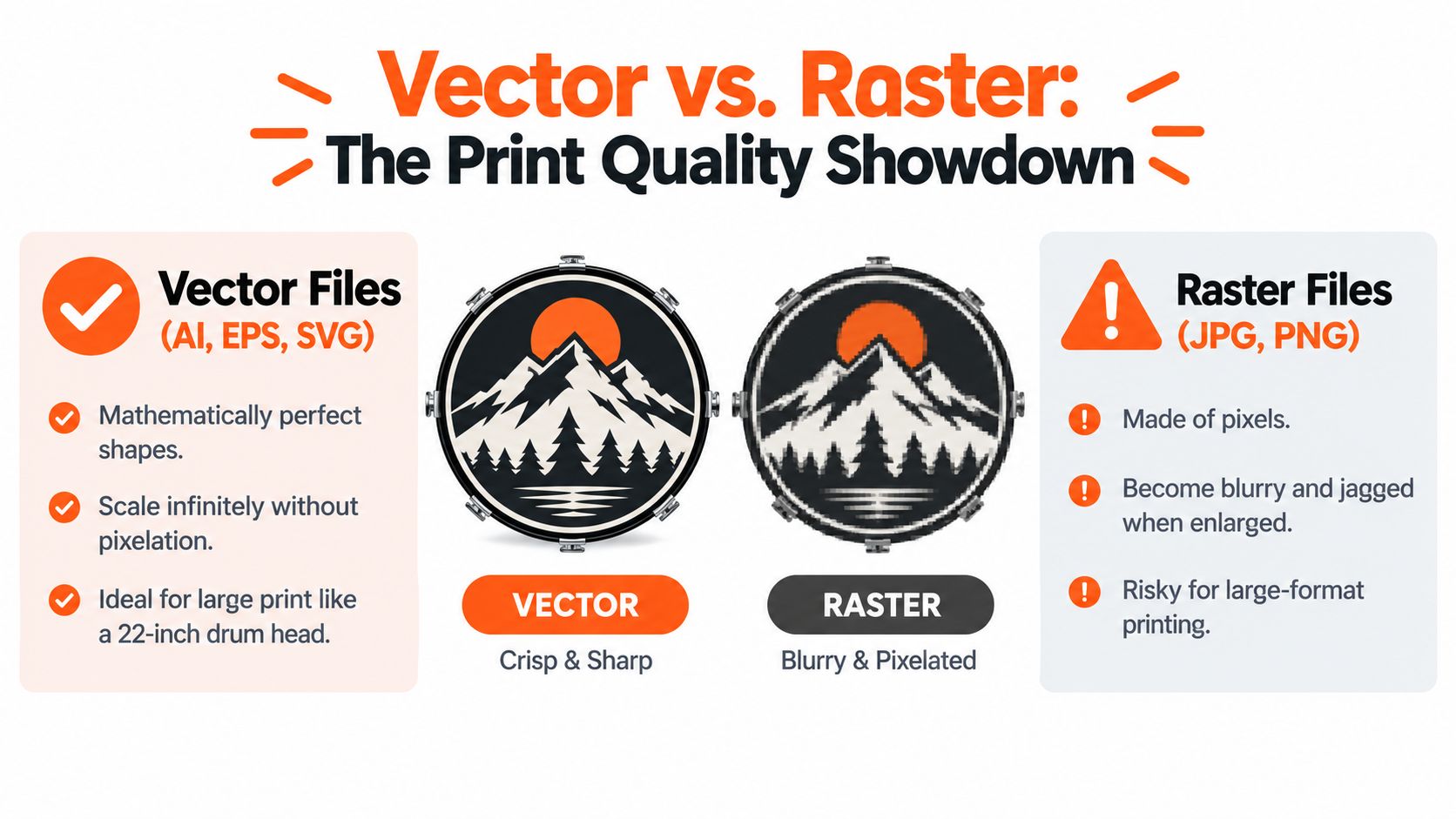
Vector artwork produces the sharpest printed result and avoids pixelation at drum head scale. That matters when a band name has to remain clean around a large circular surface. Vector artwork stores shapes, curves, and type as mathematical paths, so the design can be enlarged without turning edges into visible square pixels.
Raster artwork, including JPG and PNG files, is built from pixels. A large-looking image may still be a small raster file that was exported from a social profile or messaging app. Enlarging it can produce soft edges, jagged curves, and broken small lettering. A high-resolution raster illustration may still be usable, but it needs to contain enough detail at the intended physical size. A logo normally has a stronger starting point as vector artwork.
How to check the file
File extensions provide a useful first clue. Common vector formats include AI, EPS, and SVG, while JPG and PNG are raster formats. PDF files require more care because a PDF can contain either vector paths or embedded pixels.
A simple verification process helps:
- Ask for the master file. Request the original logo package from the designer rather than downloading an image from social media.
- Zoom in aggressively. If curves remain perfectly smooth and the edges don’t become blocky, the file may contain vector paths. This test isn’t conclusive, but it exposes weak raster exports quickly.
- Inspect individual elements. A true vector file lets a designer select separate letters, shapes, and lines. A single flat image usually behaves as one pixel-based object.
- Check mixed artwork. A vector container can still hold a low-resolution raster image, so embedded photography or texture should be reviewed separately.
The design should also account for the finished edge. Keep important artwork away from the hoop area and allow the required bleed rather than placing letters right on the trim boundary. Fine line work deserves particular attention because a detail that survives enlargement may still be too delicate for stage viewing.
For broader guidance on preparing print-ready files for banners, the same core principle applies to drum heads: preserve clean source artwork, inspect the file at output scale, and don’t assume a screen preview proves print quality.
A focused custom drum head artwork preparation guide can help buyers organize artwork before upload. The safest approach is to send the cleanest available master file and let the proofing stage reveal whether any line, edge, or detail needs simplifying.
Mastering Color and Contrast Under Stage Lighting
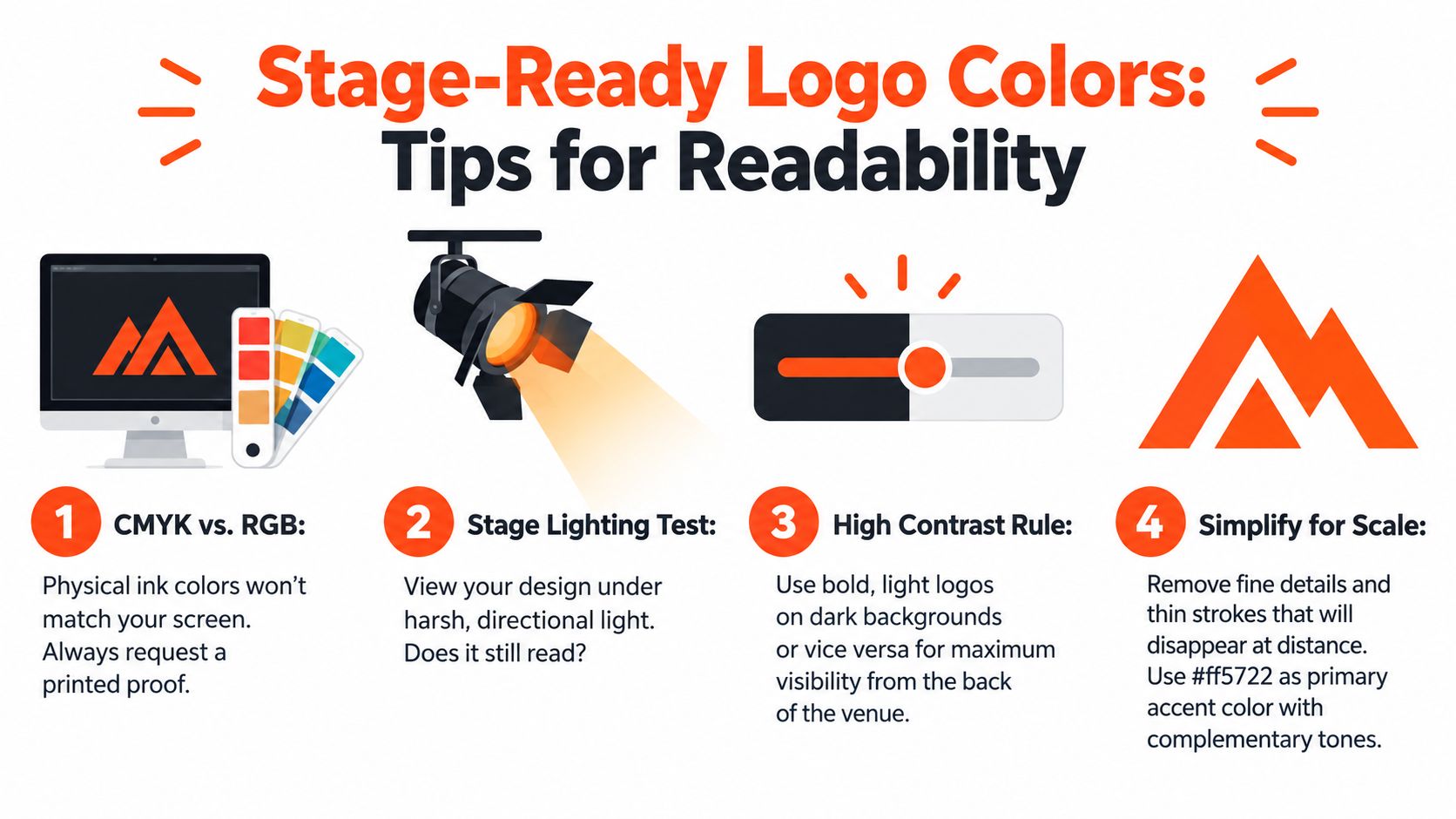
A monitor emits light. A printed drum head reflects it. That difference explains why a logo can look vivid on a screen yet appear subdued under a venue’s lighting rig. Screen colors are generally built through RGB light, while physical printing uses CMYK process colors and the material beneath the ink affects the final appearance.
A band doesn’t need to remove every color from its identity, but it should decide which colors carry the name and which colors are decorative. If the lettering depends on a subtle difference between nearby shades, colored stage light can erase that separation.
Build contrast before adding color
High contrast designs, light on dark or dark on light, read best under stage lighting. A light logo on a dark background typically gives the band name a stronger boundary, especially when the room is dim. A dark logo on a light background can work equally well when the background stays bright and uncluttered.
The test should happen in conditions that resemble the gig:
- Dim the room. View the design away from a bright desk display.
- Use directional light. A strong lamp from one side can reveal whether the lettering loses shape through glare.
- Reduce the design. Look at a small preview or stand back from the screen. If the name merges into the background, increase separation.
- Convert to grayscale. This removes the distraction of hue and exposes weak lightness contrast.
- Protect the name first. Decorative colors can be adjusted, but the band name needs the clearest value difference.
A printed proof remains useful because CMYK output won’t exactly match RGB screen color. Bright digital colors may print with less intensity, and a dark background can shift the perceived character of the logo. A proof lets the buyer check the actual relationship between background, lettering, and graphic elements before committing to the finished head.
Simplify without losing identity
Complex branding often needs a dedicated drum-head version rather than a complete replacement. A designer can preserve the recognizable letterforms, emblem silhouette, and signature color while removing tiny internal marks, narrow outlines, and low-value texture. The result should feel like the same band, only prepared for distance.
A useful adaptation might keep a three-color identity on merchandise but use one light logo color and one dark field for the head. The original master remains intact for other uses, while the stage version does a better job under inconsistent lighting. More guidance on graphic bass drum head design for print and stage use can support that adaptation process.
Navigating Mic Ports and Hardware Clearances
The front head has a job beyond displaying the logo. If the drum is close-miked, the mic port affects access, artwork placement, and the resonant head’s behavior. The port should be selected and positioned before the logo is finalized, not added as an afterthought over the most important letter.
A 4-inch hole is commonly treated as the practical minimum for fitting a microphone, while 5 inches is often the safer choice for broader microphone compatibility. Holes larger than 7 inches can noticeably alter the drum’s sound because the resonant head begins to behave as if much of it is missing. These points are summarized in this bass drum hole sizing guide.
Mic port sizing and placement guide
| Port Size | Best Use Case | Acoustic Impact |
|---|---|---|
| 4 inches | Compact microphone access where the artwork needs to retain more uninterrupted space | A practical minimum that preserves more of the resonant head than a larger opening |
| 5 inches | Broader microphone compatibility for common live or studio setups | Gives more access while retaining substantial head coverage |
| 6 inches | A larger access point when the microphone and setup require it | Removes more head area and should be considered during tonal and artwork planning |
| Larger than 7 inches | Specialized setups where extensive opening is intentional | Can noticeably change the drum’s sound by making the resonant head behave as if it is largely missing |
Port placement can be left, right, high, low, or off-center. The correct choice depends on where the microphone enters, how the kit is arranged, and which part of the logo can be sacrificed without damaging recognition. A centered name often works well with a low or side port, provided the opening doesn’t intersect the main lettering.
Keep the artwork away from the working edge
Critical letters should stay inside the finished edge, with the earlier 10 to 20 mm safe distance and approximately 3 mm bleed accounted for during setup. The hoop and tension rods can cover or visually interrupt the outer design, so ornamental rings and small text need more caution than a centered emblem.
Before ordering, confirm the actual shell and head diameter using a reliable guide to measuring drum heads. A correctly measured head still needs a functional layout. The final proof should show the port, edge, artwork boundaries, and any background fill together.
Selecting the Right Drum Head Material and Ply
A printed logo is only as successful as the head beneath it. The material and ply affect how the drum responds, how long the artwork remains presentable, and whether the result suits a resonant front head or a head exposed to heavier playing contact.
Drum heads commonly use Mylar or polyester film. Single-ply heads consist of one film layer, while two-ply heads use two layers. Single-ply construction usually leaves more openness in the response, while two-ply construction generally brings greater durability, shorter sustain, fewer overtones, and a more defined attack. Those differences matter when a buyer is choosing a personalized head for regular gigging rather than occasional display.
Single-ply and two-ply choices
A single-ply head can suit a player who wants a more resonant, open character and expects the printed front head to remain primarily a visual branding surface. Its lighter construction may also make the artwork feel less visually and acoustically controlled, depending on the design and drum.
Two-ply construction is the more solid direction when durability and a controlled response carry greater weight. The shorter sustain and more defined attack can help a bass drum feel focused in a live mix, while the added construction provides a different physical platform for a printed design.
The choice isn’t “thin versus thick.” It depends on whether the head is a front resonant head, a batter head, a touring head, or a visual replacement used for specific events. The print layout should be developed alongside that decision.
Film thickness changes the result
Single-ply heads often range from 7 to 12 mil, while double-ply heads are typically made from two roughly 7-mil layers, as described in this drum head construction and thickness guide. Thickness influences durability, resonance, sustain, overtones, and tonal control, so it also changes what a buyer should expect from a printed resonant or batter head.
For a deeper material-focused purchasing discussion, this comparison of drum head types can be used as background while keeping the decision tied to the personalized head’s intended role. A band that needs a front-facing logo for repeated stage use should prioritize a construction appropriate to that drum position, then design the artwork for its actual viewing conditions.
Proofing Your Design Before It Goes to Print
The proof is where digital branding becomes a physical layout. A live browser mockup should show more than the logo floating on a blank circle. It needs to reveal centering, scale, edge clearance, background color, and mic-port position together, because each choice changes the others.
A logo can be perfectly centered mathematically and still look too low because the port occupies one side. A large emblem can fit inside the edge yet leave no room for the hoop to frame it comfortably. Proofing catches those problems while the design can still be moved.

A practical approval checklist
Before approving the artwork, the buyer should inspect the mockup in this order:
- Head size: Confirm that the selected diameter matches the drum shell.
- Logo scale: Check that the band name remains dominant without pushing important elements toward the hoop.
- Safe area: Keep critical lettering inside the finished edge and account for bleed.
- Port clearance: Move the port or artwork so no key letter, eye, face, or emblem detail occupies the cut area.
- Contrast: Test the design in grayscale and under a harsh directional light.
- File quality: Confirm that vector artwork stays sharp and that any raster elements remain clean at output size.
- Brand recognition: Compare the simplified stage version with the band’s approved master logo.
- Physical role: Make sure the selected head construction suits a resonant or batter position.
The browser-based workflow is valuable because it turns abstract measurements into a visual decision. The buyer can see whether a left-side port forces the name off-center, whether a dark background swallows a dark emblem, or whether a fine outline contributes anything at the intended distance.
For additional inspiration around custom bass drum head graphics, the most useful examples are those that show a clear relationship between artwork, hardware, and the finished instrument. A strong proof doesn’t merely confirm that the logo fits. It confirms that the head will still communicate the band’s identity after the hoop, port, distance, and lighting have done their work.
Custom Bass Drum Head accepts uploaded logos and graphics, places them into a browser-based mockup, and prints the approved artwork directly onto the drum head. Visit Custom Bass Drum Head to test the logo scale, contrast, edge clearance, and mic-port position before ordering a stage-ready personalized head.